
Pro and upIncluded in the Pro and Elite packages.
Price a line by margin
See each proposal line's margin under its price, and type the margin you want — in dollars or as a percentage — to set the line's price for you.
Every line on a proposal shows the margin it earns, right under its price. When you know the margin you want, type it in and the line works out its own price from its cost — no calculator needed. It works on every line that carries a cost, labor lines included.
Who can do this: Sales, Office and Admin. Sales users see and type margins, but never the Unit Cost column.
See the margin on each line
Section titled “See the margin on each line”-
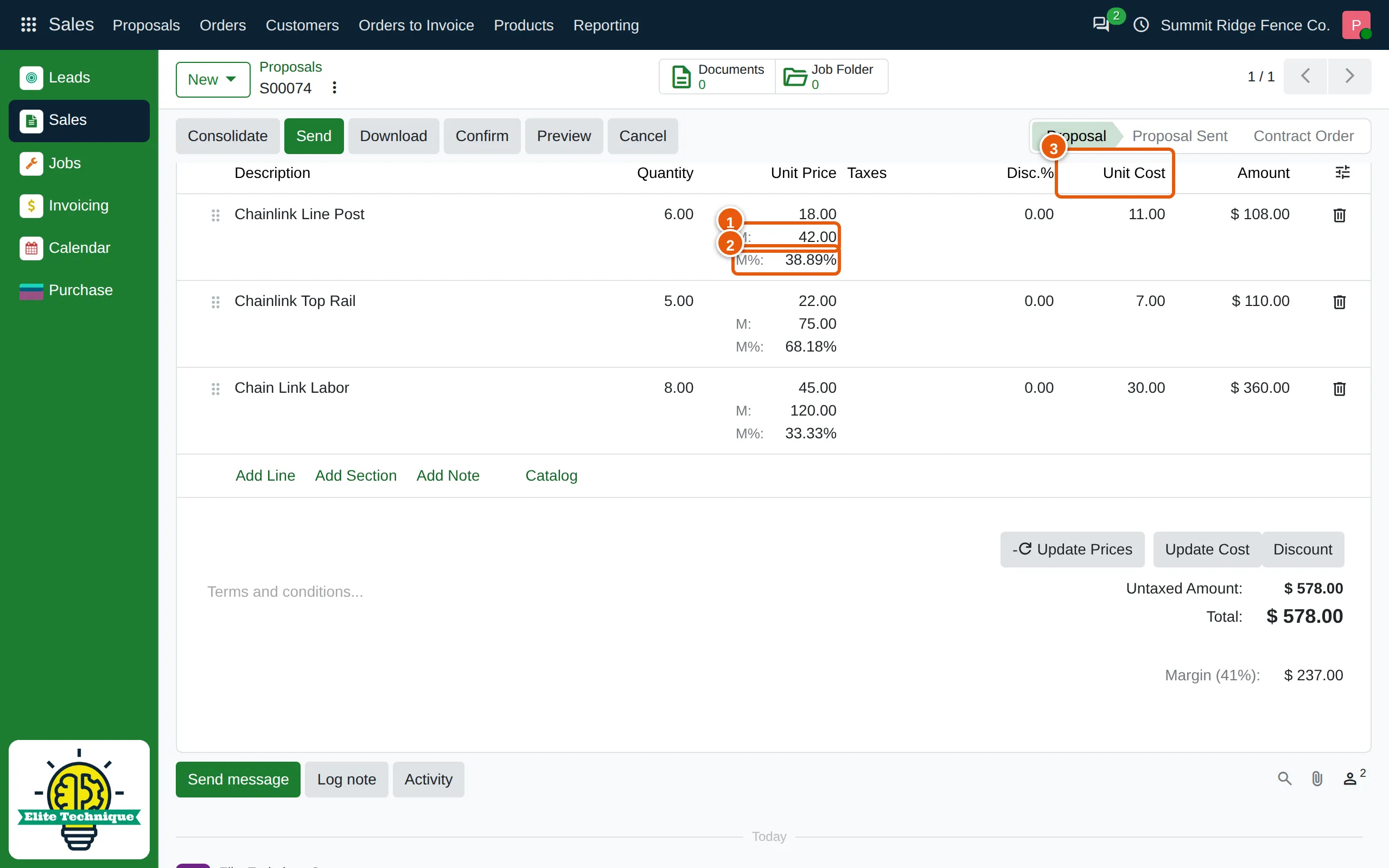
Open a proposal. On Order Lines, under each line’s Unit Price you see M: (1), the margin the line earns in dollars, and M%: (2), that margin as a percentage of the line’s amount. Office and Admin also see the line’s Unit Cost (3).
Here the line post sells at 18.00 and costs 11.00: six of them earn M: 42.00, an M%: 38.89%.
Set a price from a margin percentage
Section titled “Set a price from a margin percentage”-
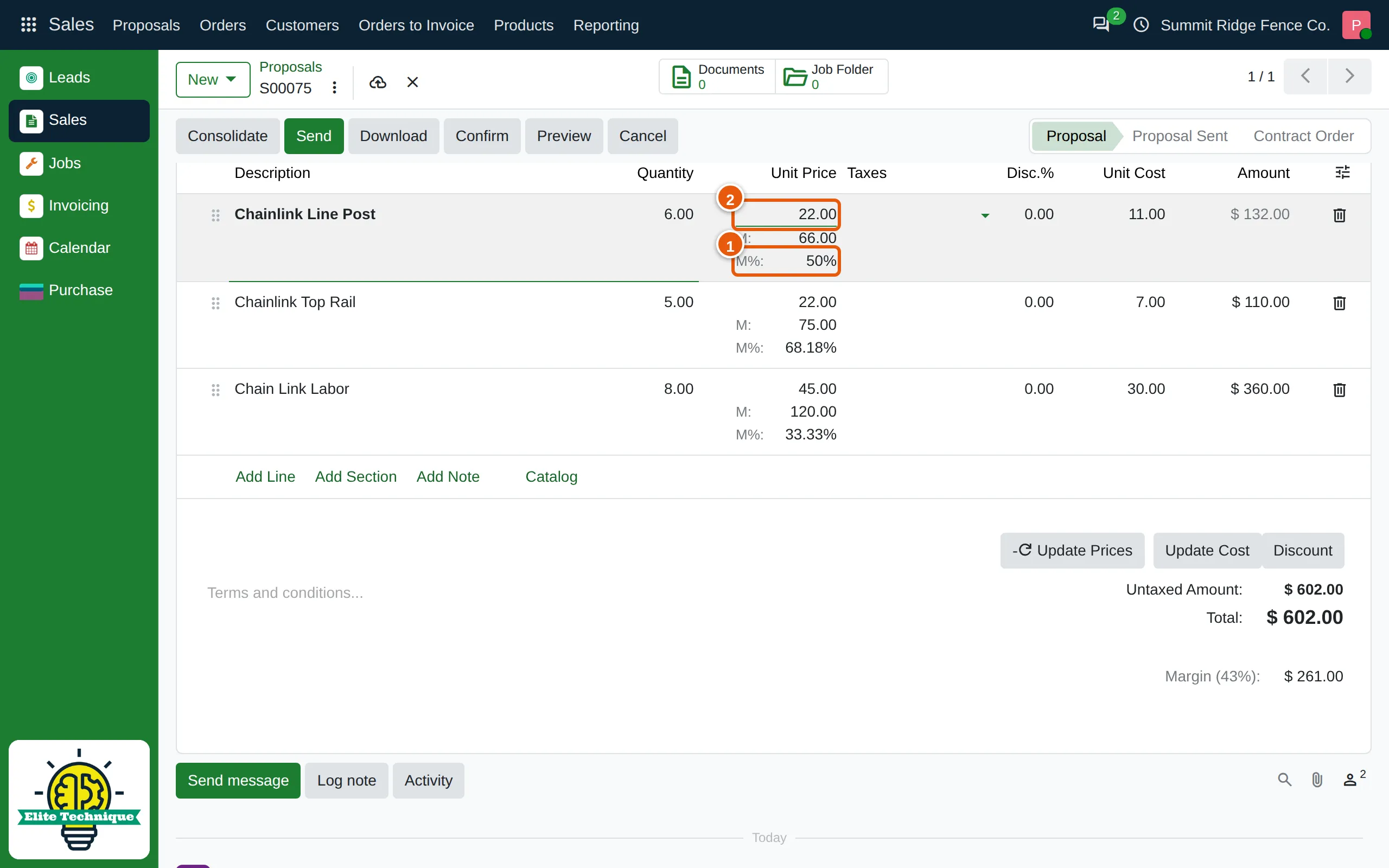
Click the line’s Unit Price. The price, M and M% open for typing.
-
Click into M% (1), type the margin you want and press Tab. The Unit Price (2) changes to the price that earns it. Here 50 on the line post (cost 11.00) sets the price to 22.00, and M to 66.00.
-
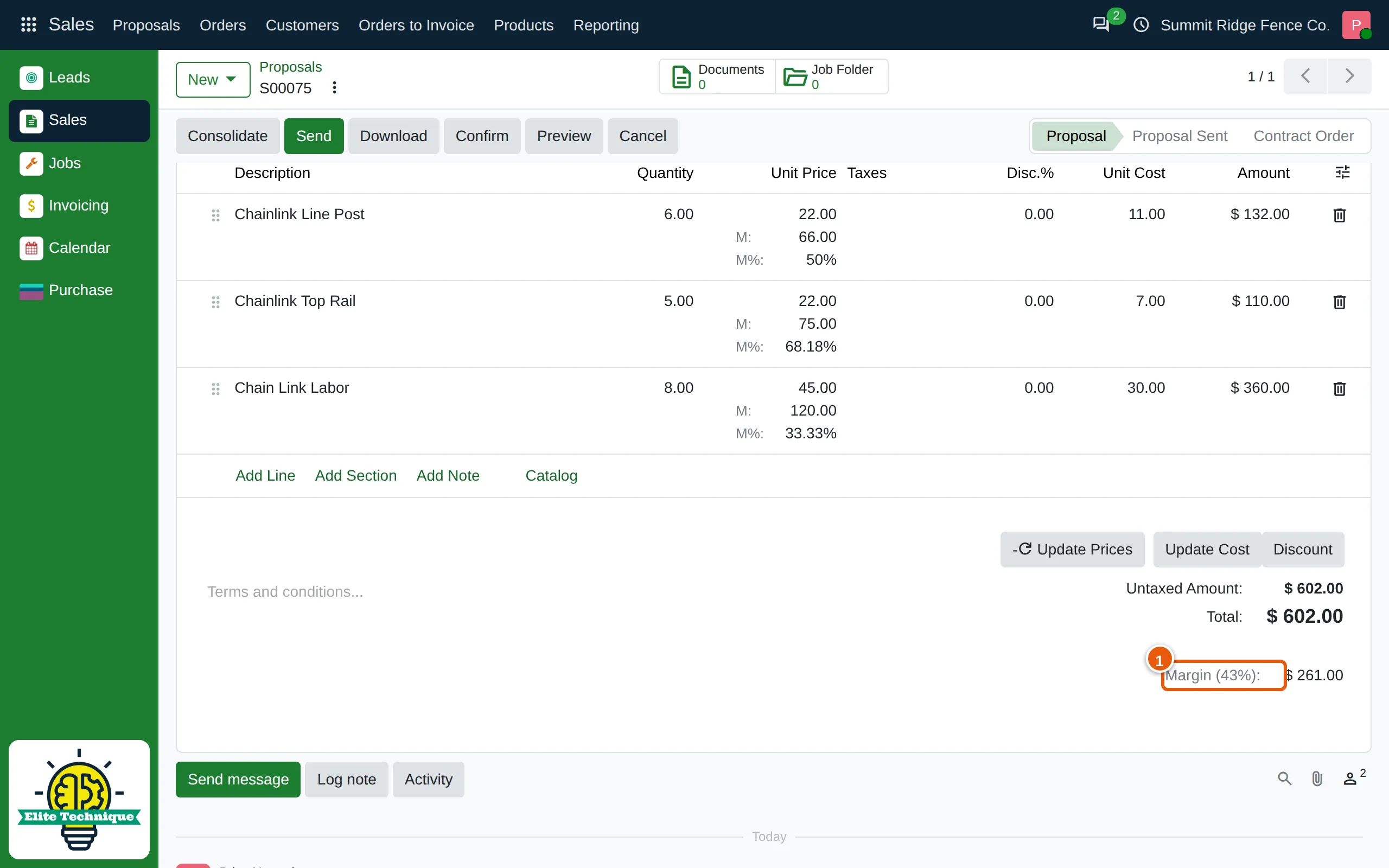
Click the cloud icon to save. The proposal’s total updates, and Margin (1) under it shows the whole proposal’s margin — here Margin (43%): $ 261.00 on a $ 602.00 total.
Set a price from a margin amount
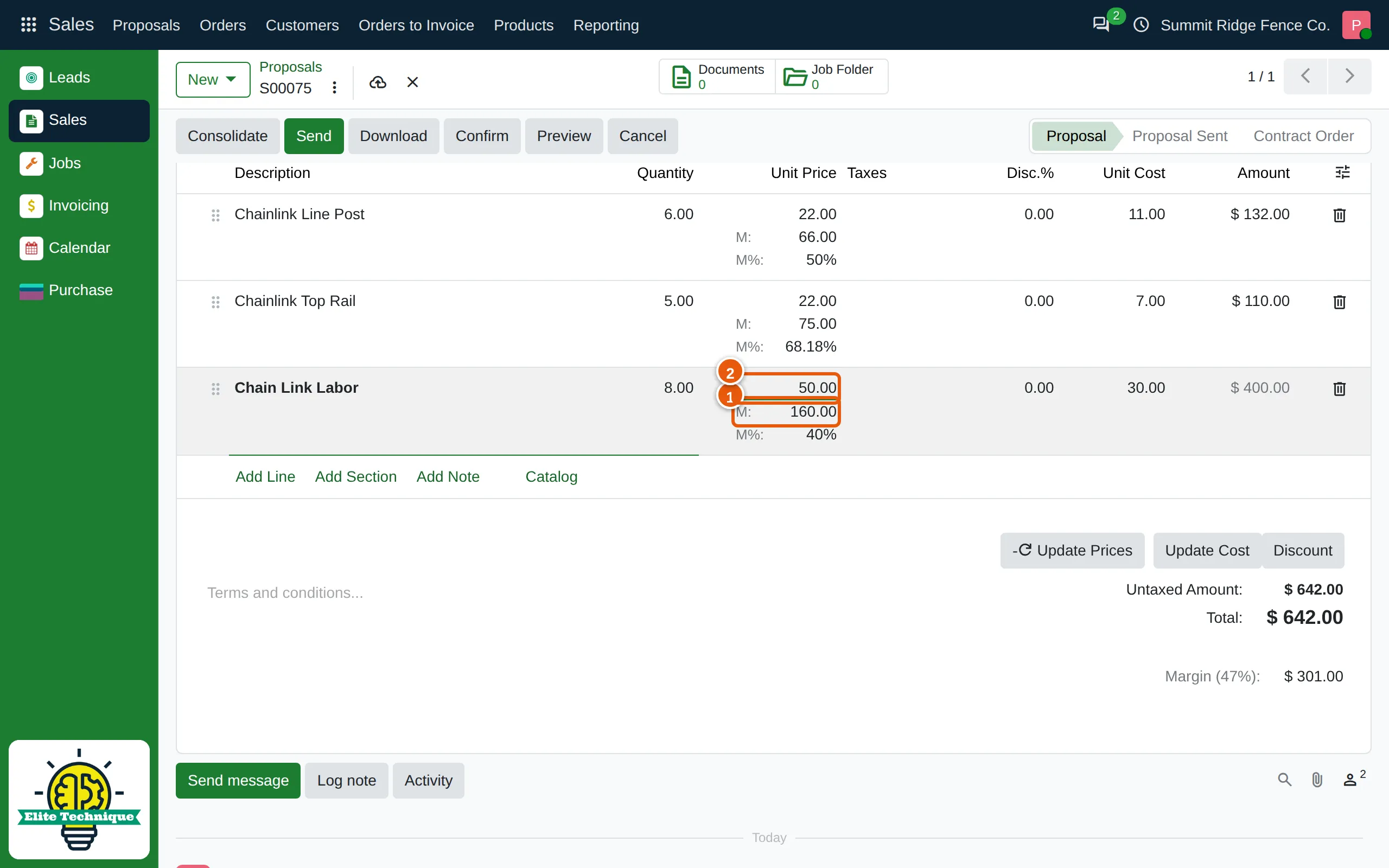
Section titled “Set a price from a margin amount”To earn a set number of dollars on a line instead, type them into M.
-
Click the line’s Unit Price, click into M (1), type the margin in dollars for the whole line and press Tab. The Unit Price (2) changes to match. Here 160 on eight units of labor (cost 30.00 each) sets the price to 50.00, a 40% margin.
-
Click the cloud icon to save.
Good to know
Section titled “Good to know”- The margin is on the price, not on the cost. A 50% margin on a $11.00 cost is a $22.00 price — half of what the customer pays is yours.
- Discounts are allowed for. On a line with a discount, the price is set so the margin holds after the discount: a top rail costing 7.00 with 10% off, at 50%, is priced 15.56.
- A line needs a cost for M%. On a line whose item has no cost, M% cannot be typed into.
- 100% is refused on a line with a cost. The proposal says If the cost is not 0, it is not possible to set the margin to 100% and keeps the price as it was.
- Typing a Unit Price still works. The margin then follows the price, as before.
- To change what a line costs, see Update costs and prices.