Understand your payment terms
The six payment terms, when each one asks your customer to pay, and the deposit each asks for online.
A proposal’s payment terms decide when your customer pays, in how many installments, and how much of a deposit they pay online when they accept it. Elite Technique gives you six terms.
Who can do this: Admin.
The six terms
Section titled “The six terms”In System, open Proposals (1) › Payment Terms to see them (2).
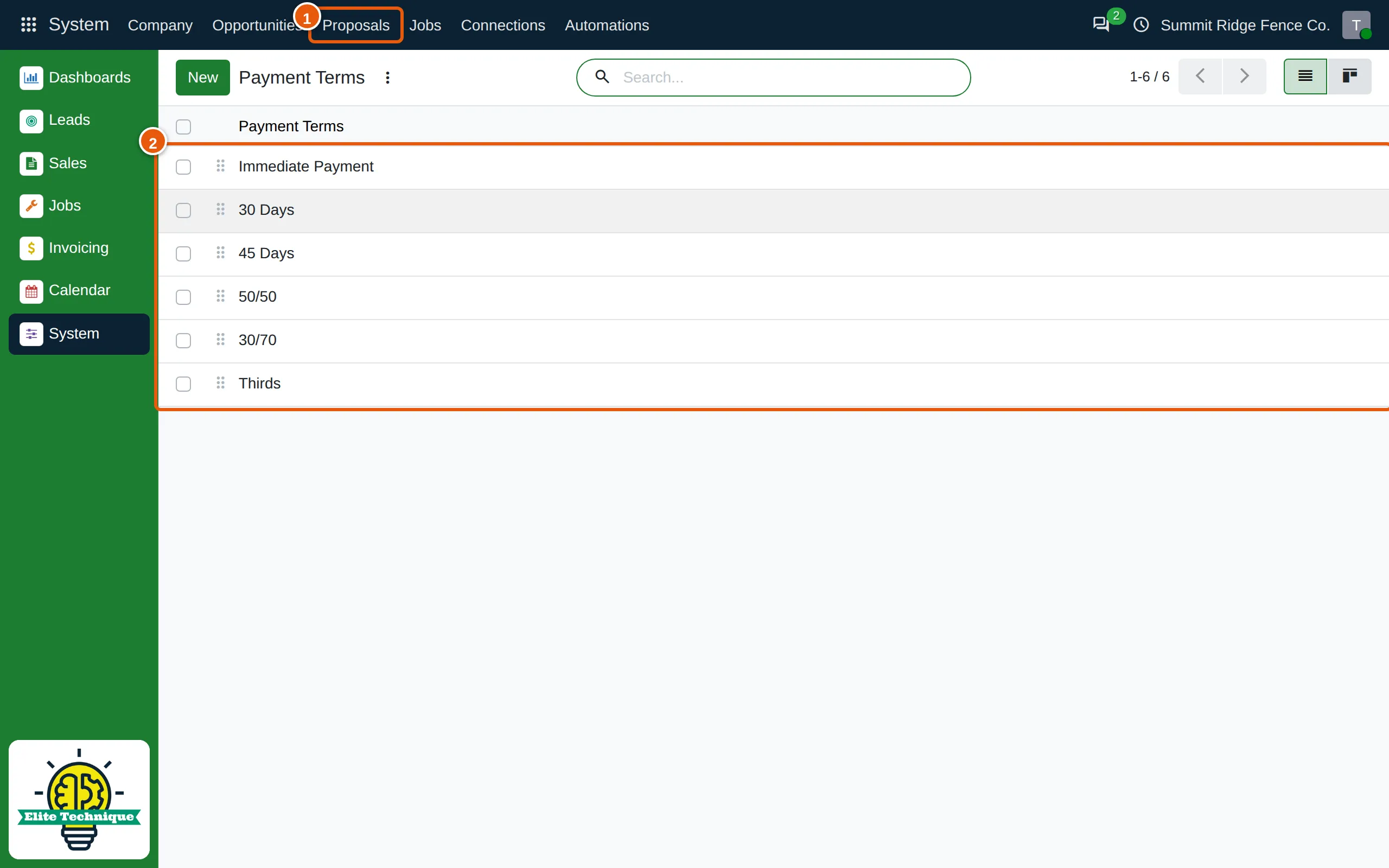
Every installment counts from the invoice date.
| Term | When the customer pays | Deposit online |
|---|---|---|
| Immediate Payment | 100% on the invoice date | 100% |
| 30 Days | 100% 30 days after the invoice date | 0% |
| 45 Days | 100% 45 days after the invoice date | 0% |
| 50/50 | 50% on the invoice date, 50% 30 days later | 50% |
| 30/70 | 30% on the invoice date, 70% 30 days later | 30% |
| Thirds | 34% on the invoice date, 33% after 30 days, 33% after 60 days | 34% |
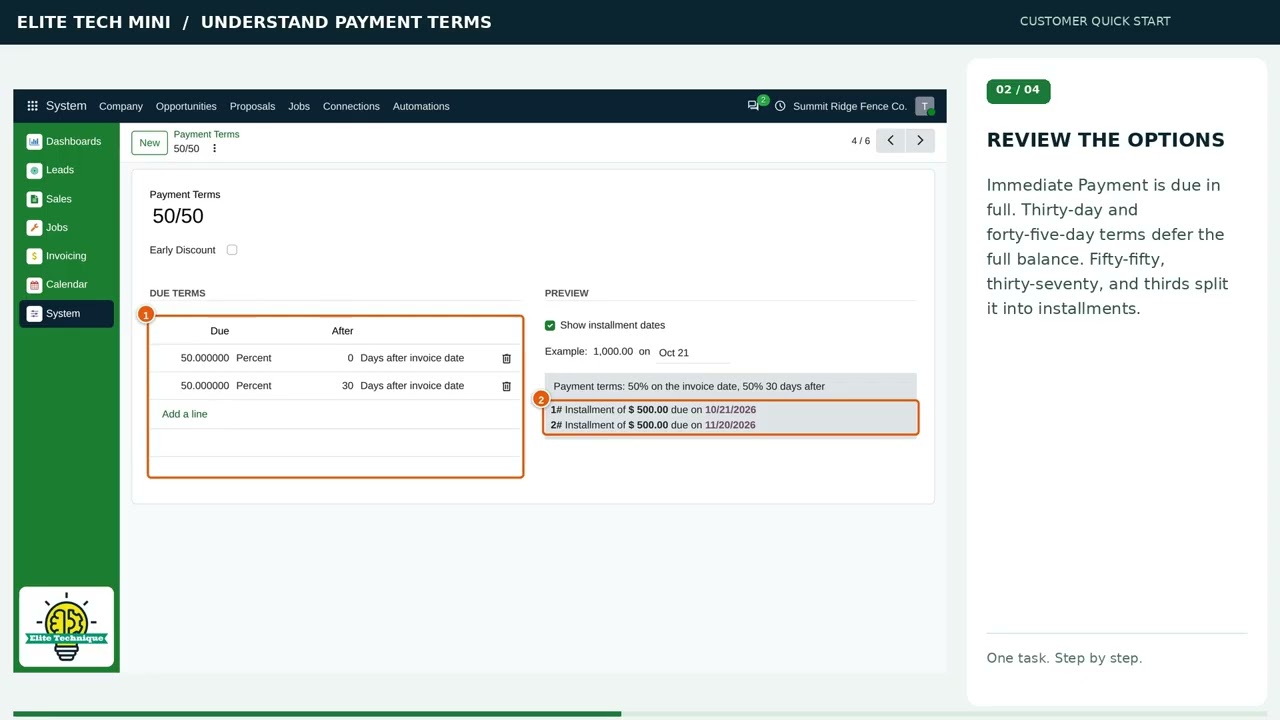
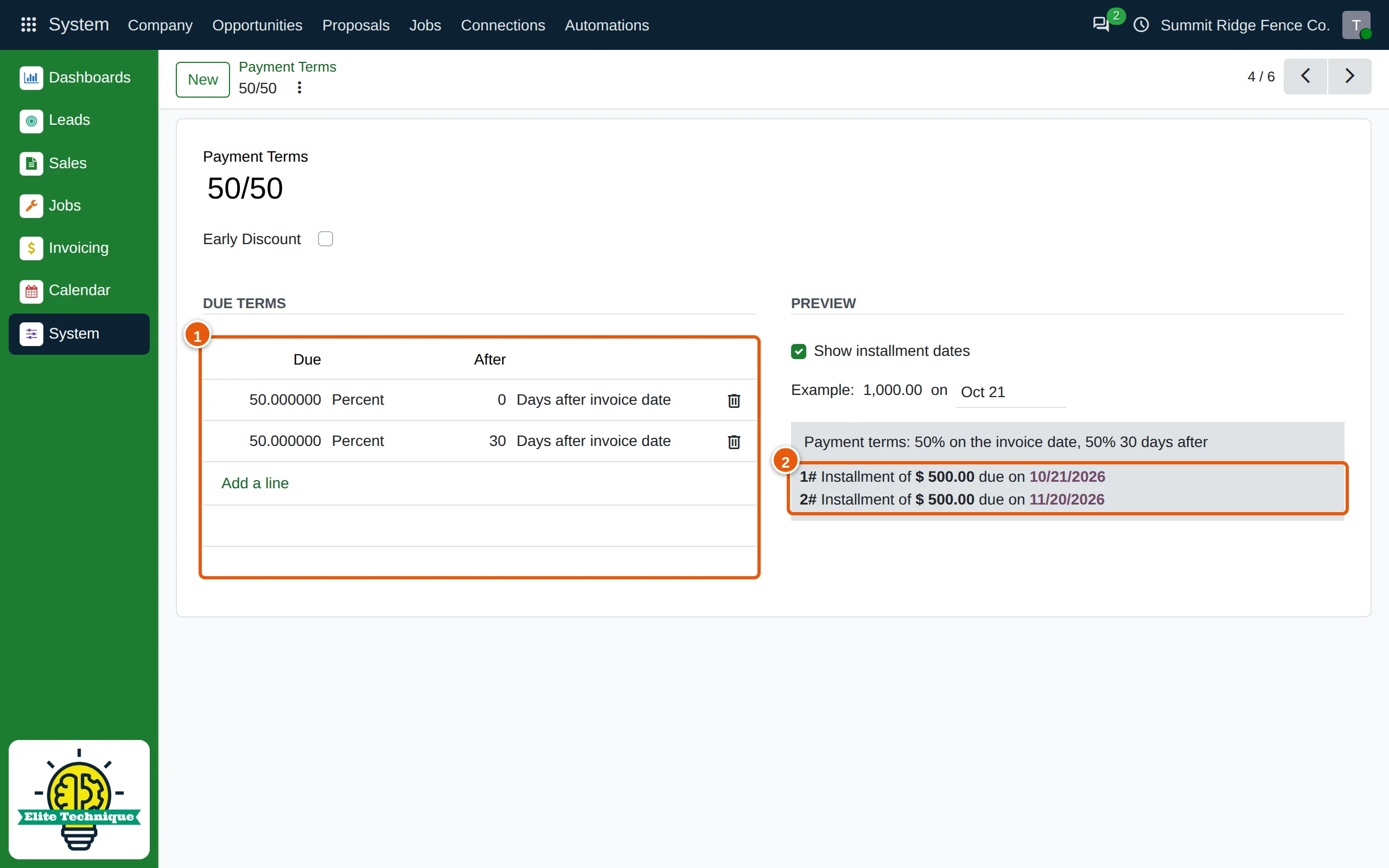
Click a term to see its installments (1) and an example of the dates on a $1,000.00 invoice (2):
On a proposal
Section titled “On a proposal”-
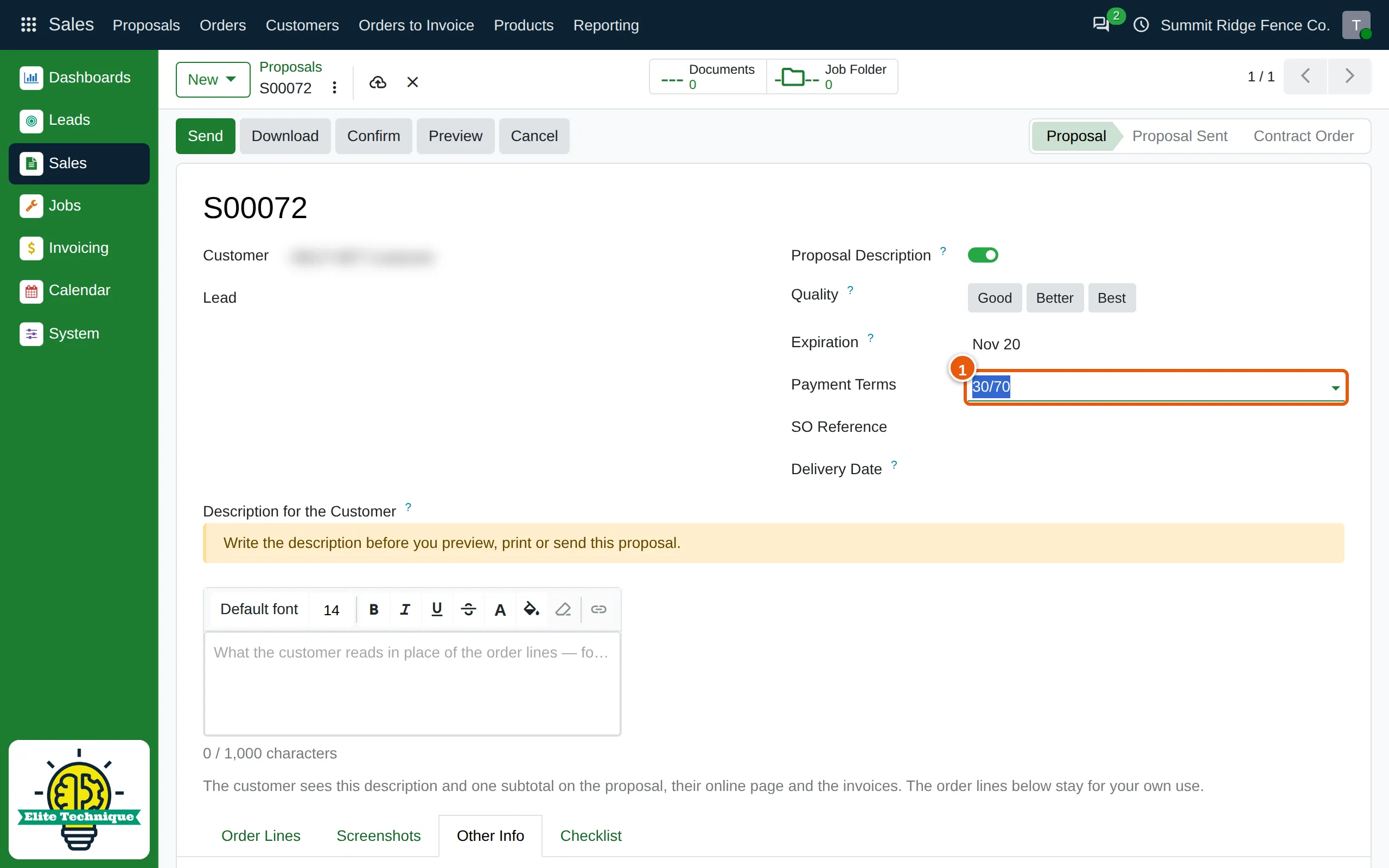
Pick the proposal’s Payment Terms (1).
-
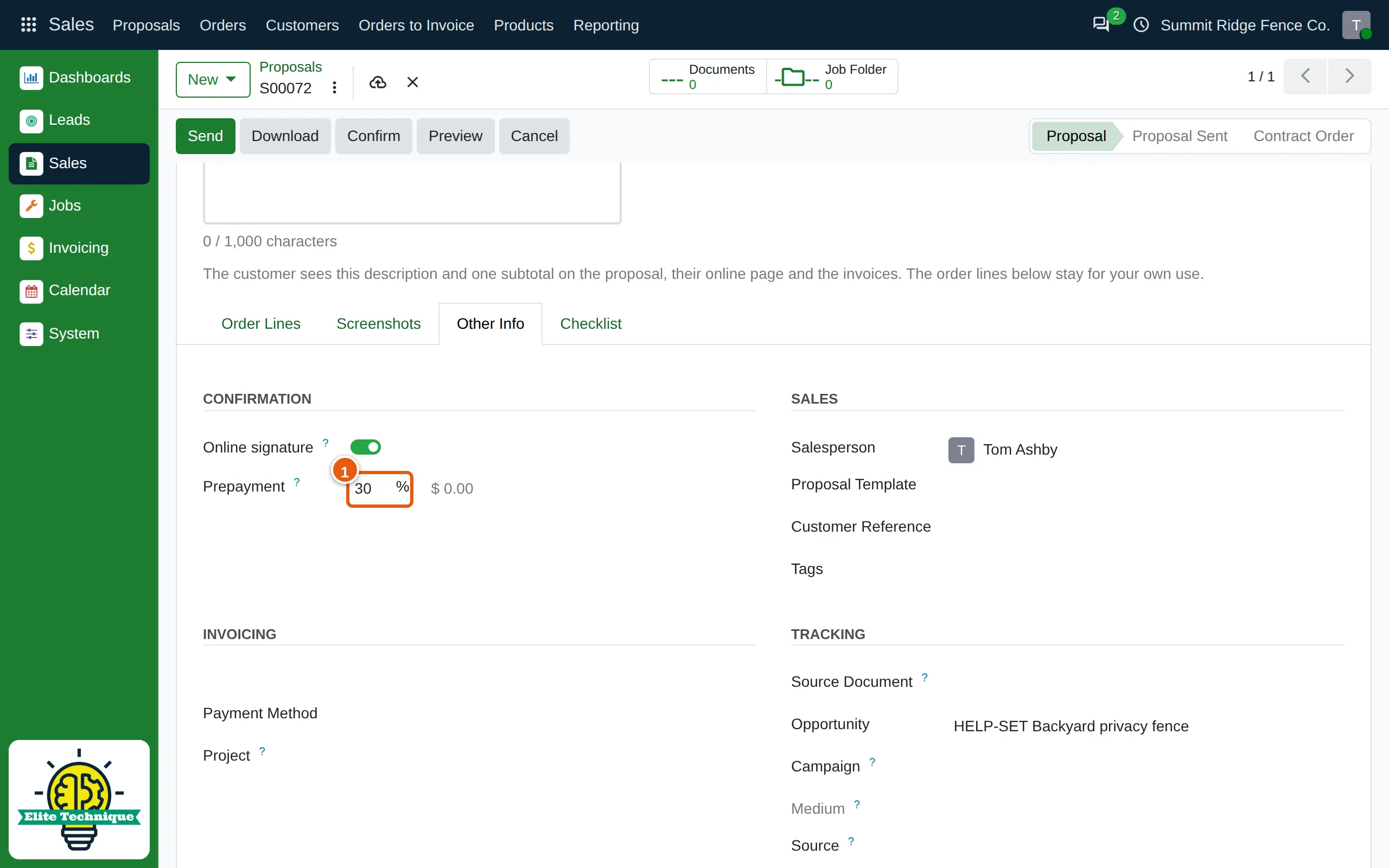
On the Other Info tab, Prepayment (1) shows the deposit the customer pays online when they accept. It changes when you pick a different term.