Issue a credit note
Credit part or all of an invoice — for work not done or a returned item — and take it off what your customer owes.
A credit note takes an amount off an invoice you have already confirmed, for example for something you did not install. Create it from the invoice you are crediting.
Who can do this: Office and Admin.

Create the credit note
Section titled “Create the credit note”-
In Invoicing, click Invoices in the top bar, then click the invoice you are crediting.
-
Click Credit Note.
-
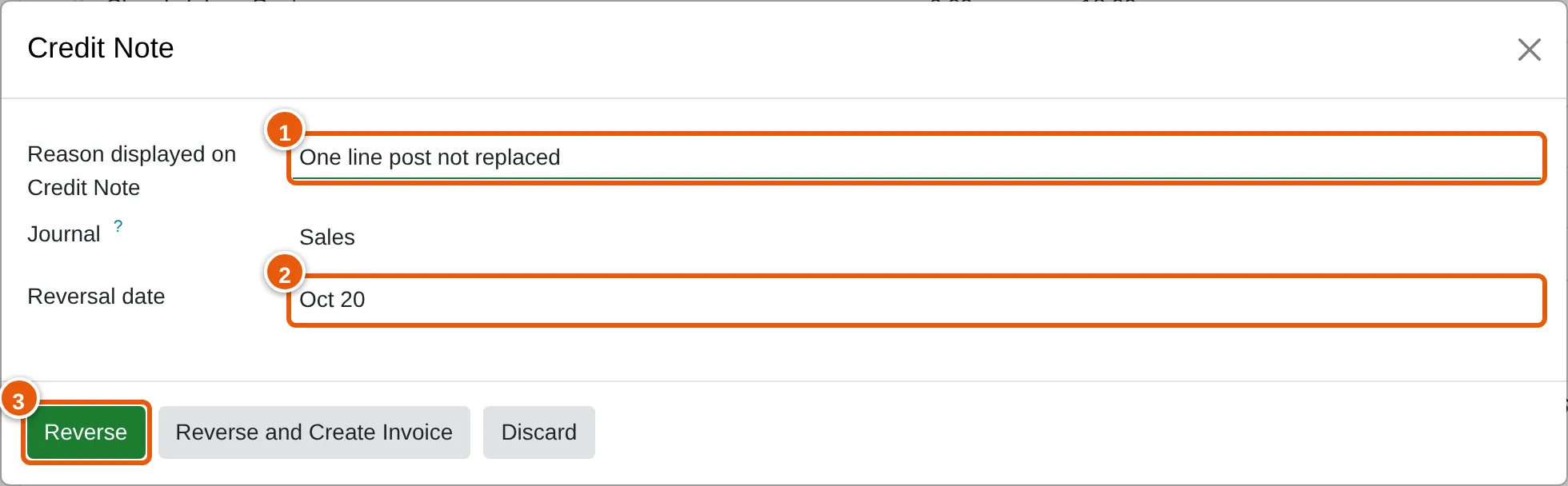
Type the Reason (1) — it is printed on the credit note. The Reversal date (2) is filled in with today. Click Reverse (3).
Set what you are crediting
Section titled “Set what you are crediting”-
The draft credit note opens with every line of the invoice. Remove the lines you are not crediting with the trash icon at the end of each line.
-
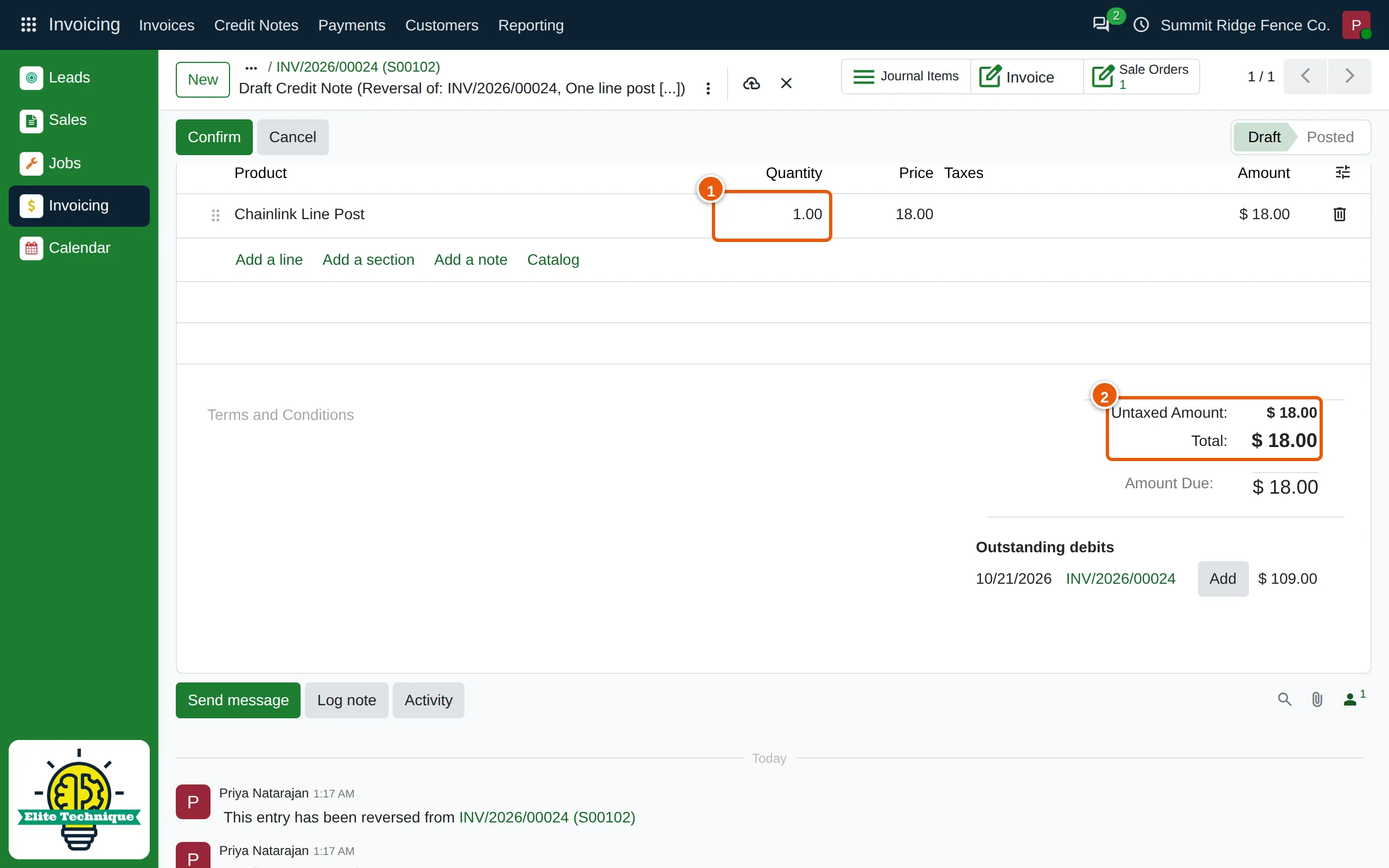
Change the Quantity (1) of each remaining line to what you are crediting. The total (2) updates below the lines.
-
Click Confirm at the top. The credit note gets its number, such as RINV/2026/00001.
What it does to the invoice
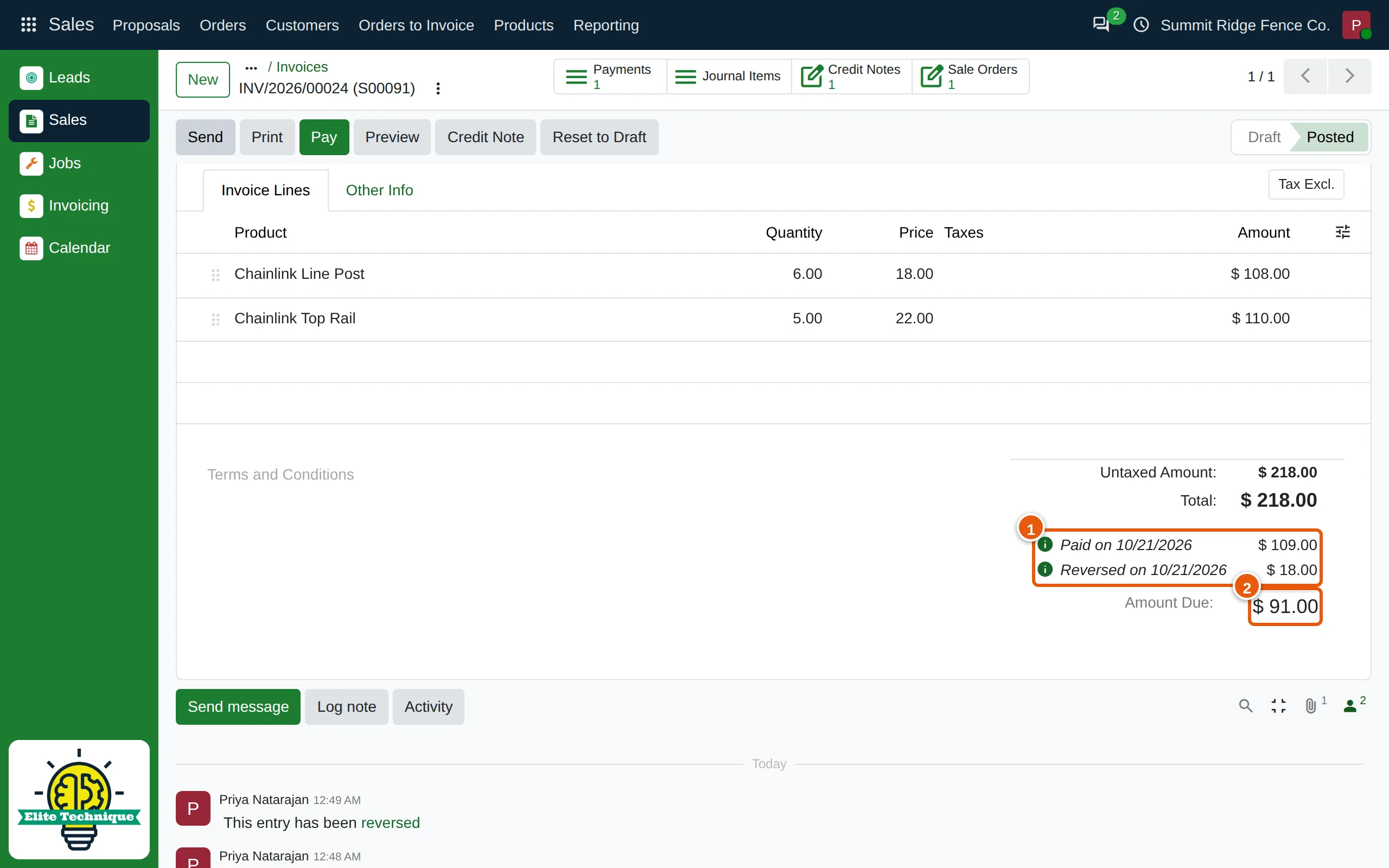
Section titled “What it does to the invoice”The credit note is taken off the invoice it came from straight away. Open the invoice: below the total, it shows Reversed on and the date with the credited amount (1), and the Amount Due (2) goes down by that amount.