Offer Good, Better and Best
Give your customer two or three options on one opportunity — mark each proposal Good, Better or Best, then send them together as one set.
Customers like a choice. Make two or three proposals on the same opportunity, mark each one Good, Better or Best, and send them together — one email, one PDF with every option.
Who can do this: Sales, Office and Admin.

Make the options
Section titled “Make the options”-
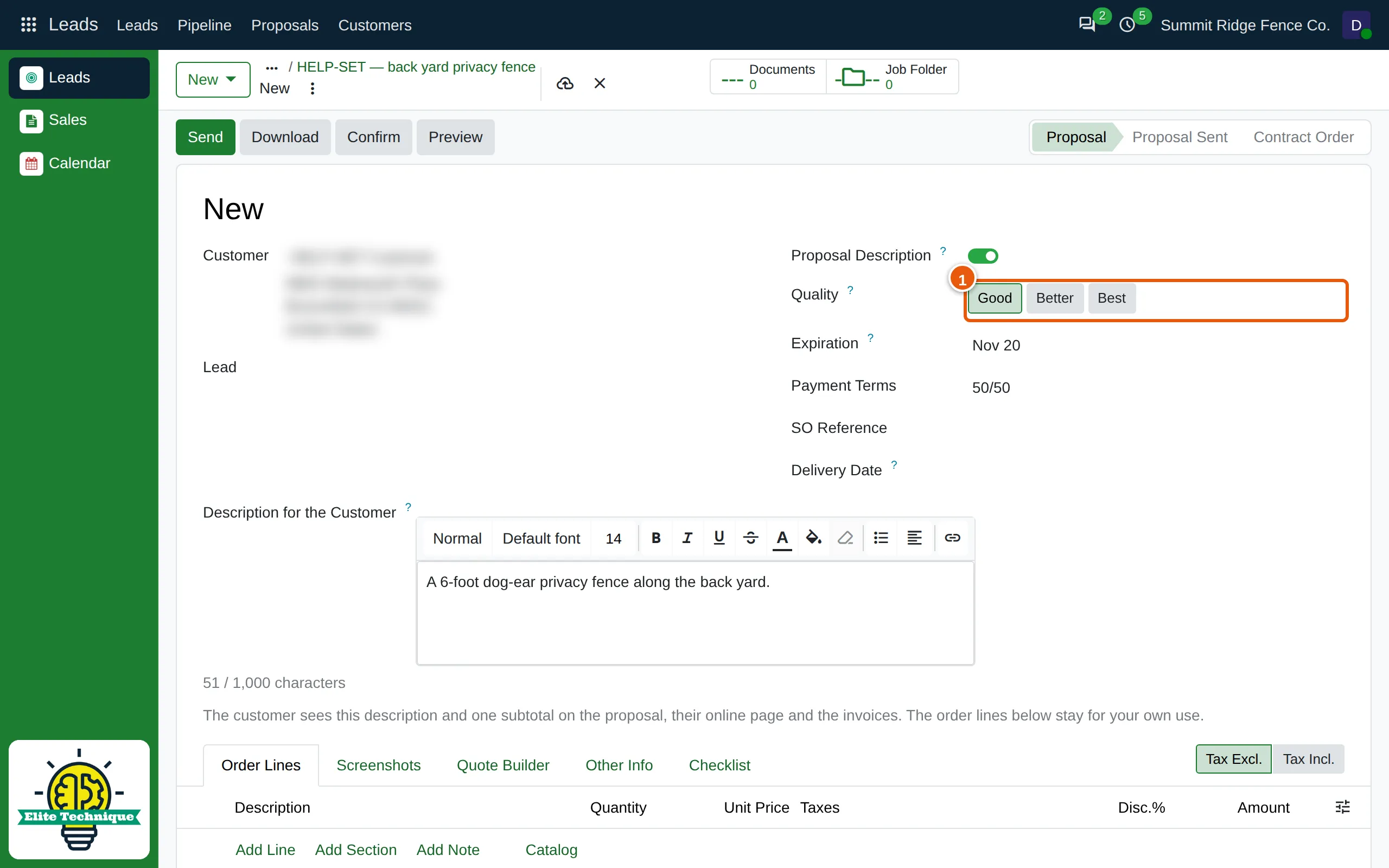
On the opportunity, click Create Proposal. Under Quality, click Good (1). Write the proposal as usual — see Create a proposal — and save it.
-
Go back to the opportunity (its name at the top) and click Create Proposal again. This time click Better, write it, and save it.
Send them as a set
Section titled “Send them as a set”-
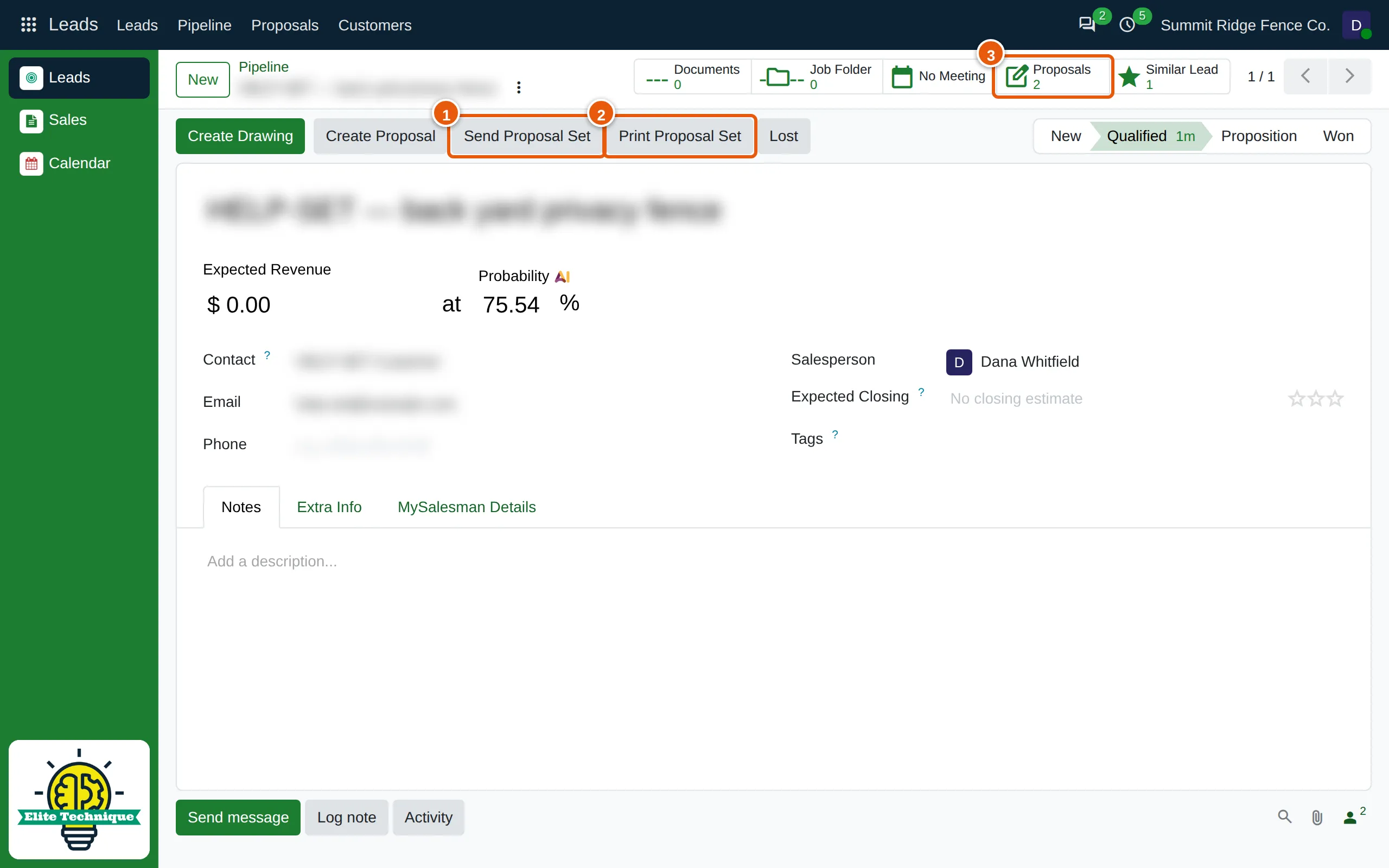
Back on the opportunity, Send Proposal Set (1) and Print Proposal Set (2) are now at the top — they show once the opportunity has two proposals marked with a quality. Proposals (3) counts the proposals on the opportunity; click it to see them.
-
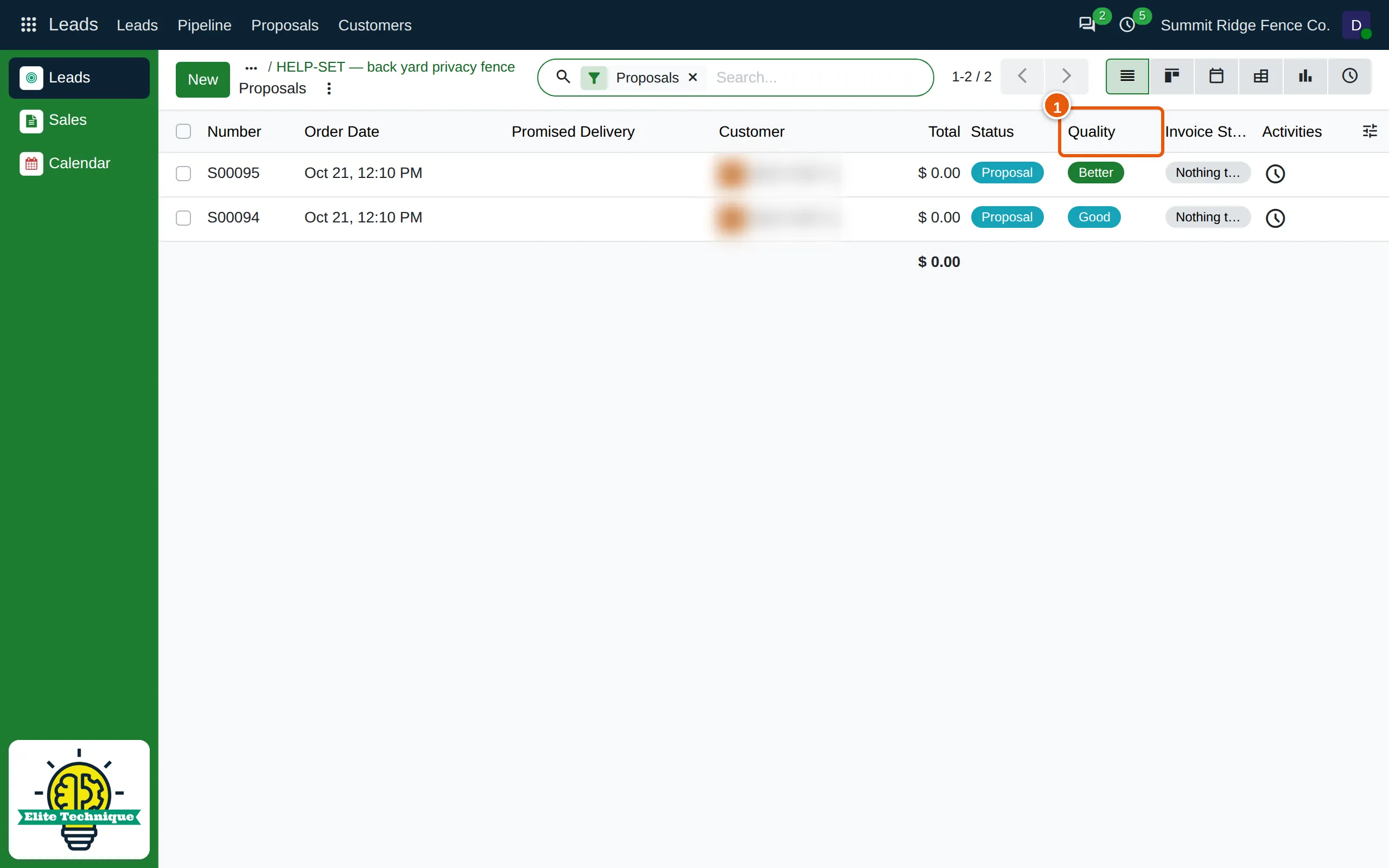
The list shows each proposal’s Quality (1).
-
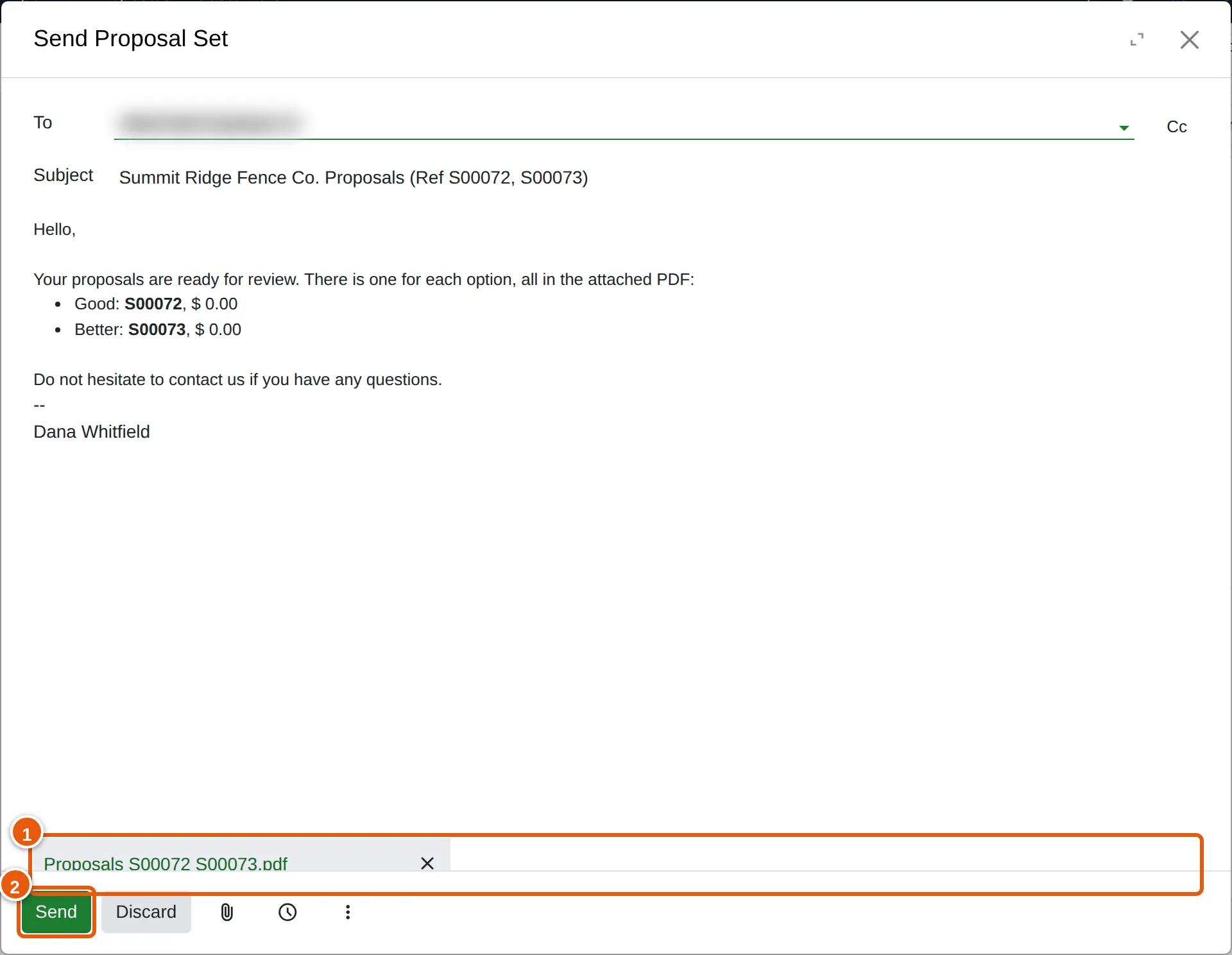
Go back to the opportunity (its name at the top) and click Send Proposal Set. The email opens to your customer. It lists each option with its proposal number and total, and every option is in one PDF (1). Check the email, then click Send (2).