Manage product options
Create the options your items come in — a finish, a style, a size — and the choices under each, and see which options Elite Technique manages for you.
A product option is something an item comes in more than one of — a finish, a style, a size — with the choices under it, such as Matte and Satin.
Who can do this: Admin.

Create an option
Section titled “Create an option”-
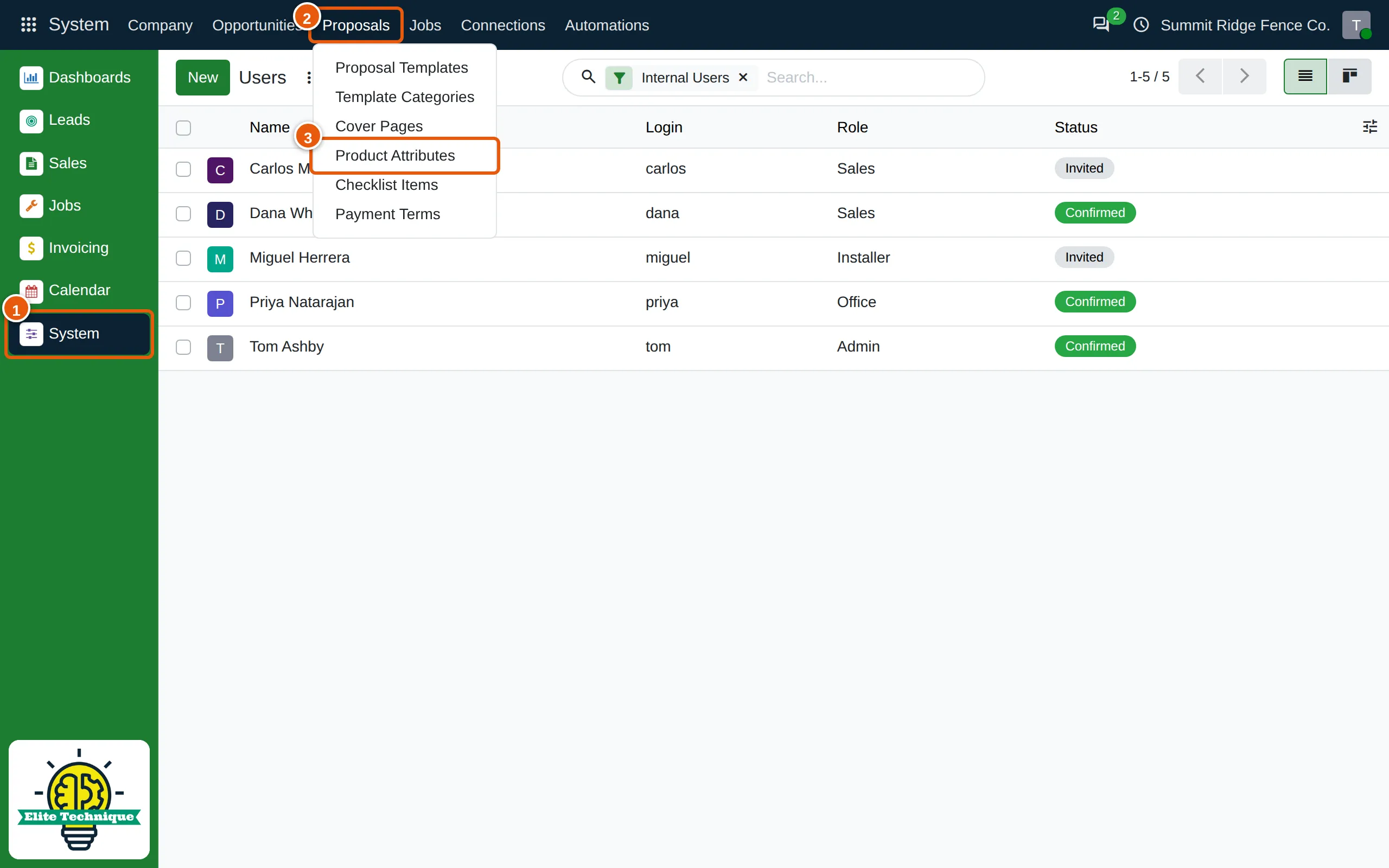
Click System (1) in the app bar on the left, then Proposals (2) at the top, then Product Attributes (3). The list shows every option and its display type. Click New.
-
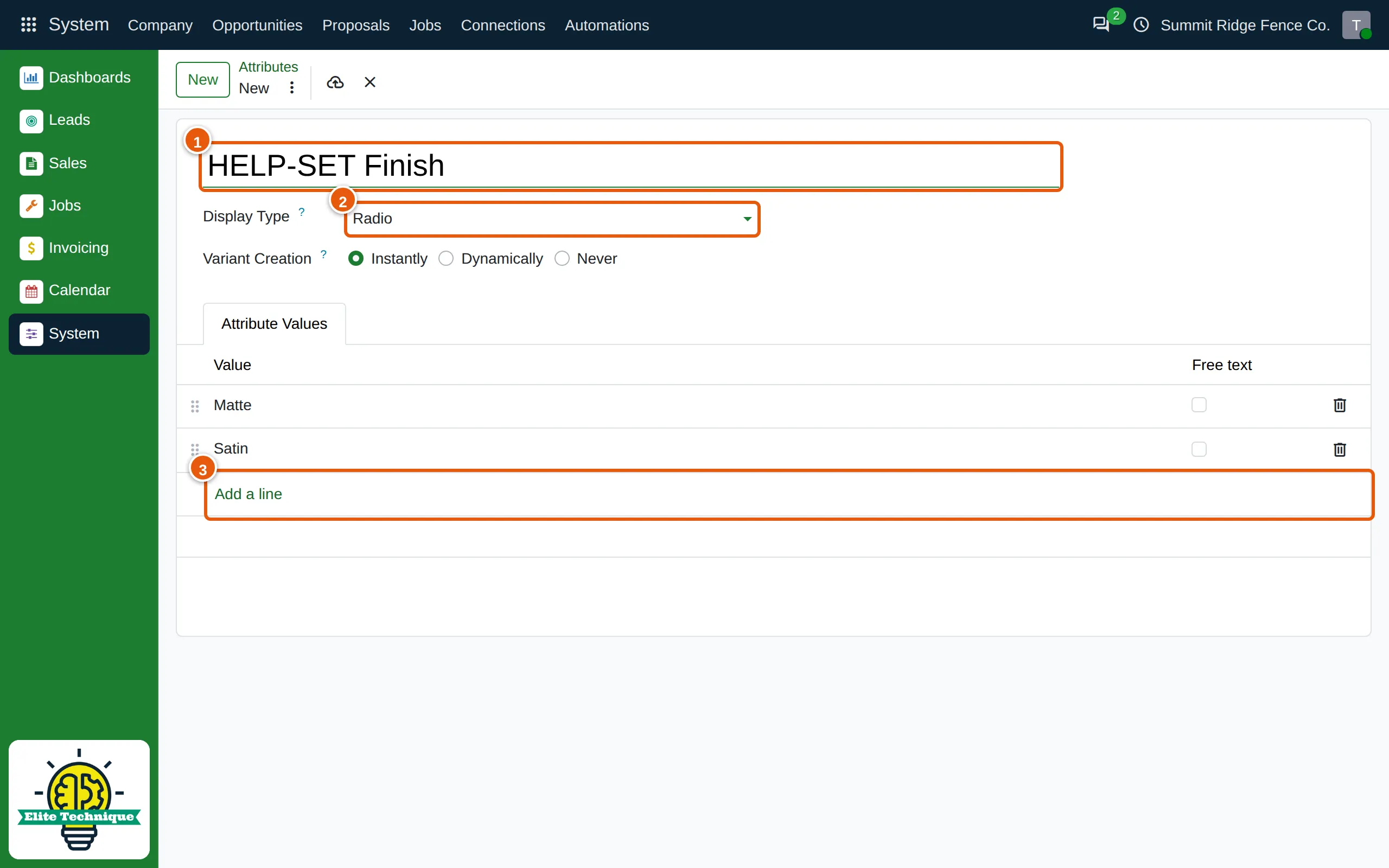
Type the option’s name (1), for example Finish.
-
Pick a Display Type (2): Radio, Pills, Select, Color, Multi-checkbox, Image or Range.
-
Under Attribute Values, click Add a line (3) and type a choice. Add one line for each choice.
-
Click the cloud icon at the top to save. The option is now in the list.
Options managed by Elite Technique
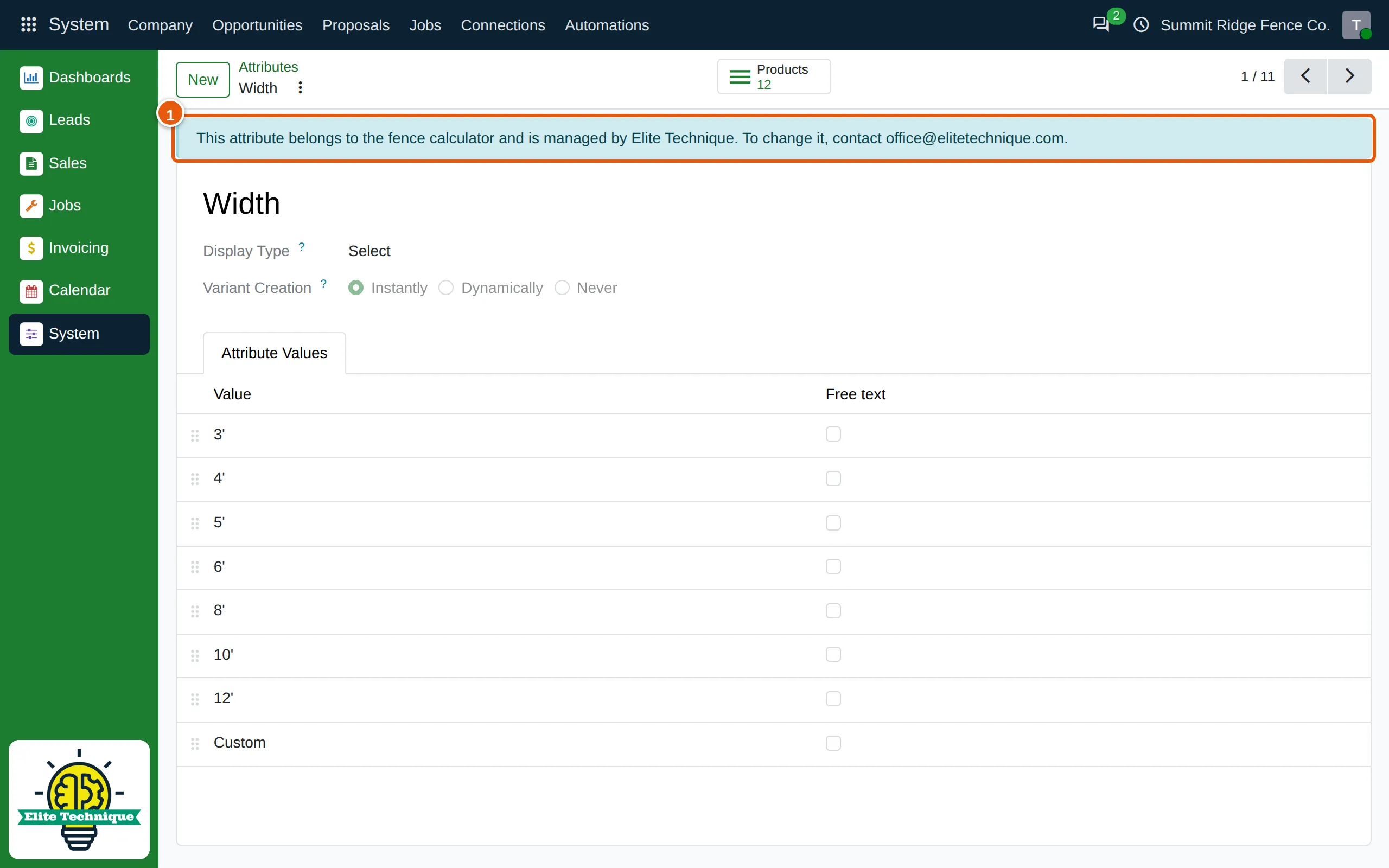
Section titled “Options managed by Elite Technique”Some options in the list, such as Width, are managed by Elite Technique. They open read-only, under a banner (1) that says so — you can see them, but not change them. To change one, contact office@elitetechnique.com.