
Standard and upIncluded in the Standard, Pro and Elite packages.
Connect MySalesman
Paste your MySalesman API key so the budget quotes prospects finish on your website arrive as leads.
If you use MySalesman’s budget quote on your website, connect it here. Every budget quote a prospect finishes arrives in Elite Technique as a lead, tagged by its status, with its own MySalesman tab.
Who can do this: Admin.
Before you start: copy the primary API key from your MySalesman myBusiness account.
Add your key
Section titled “Add your key”-
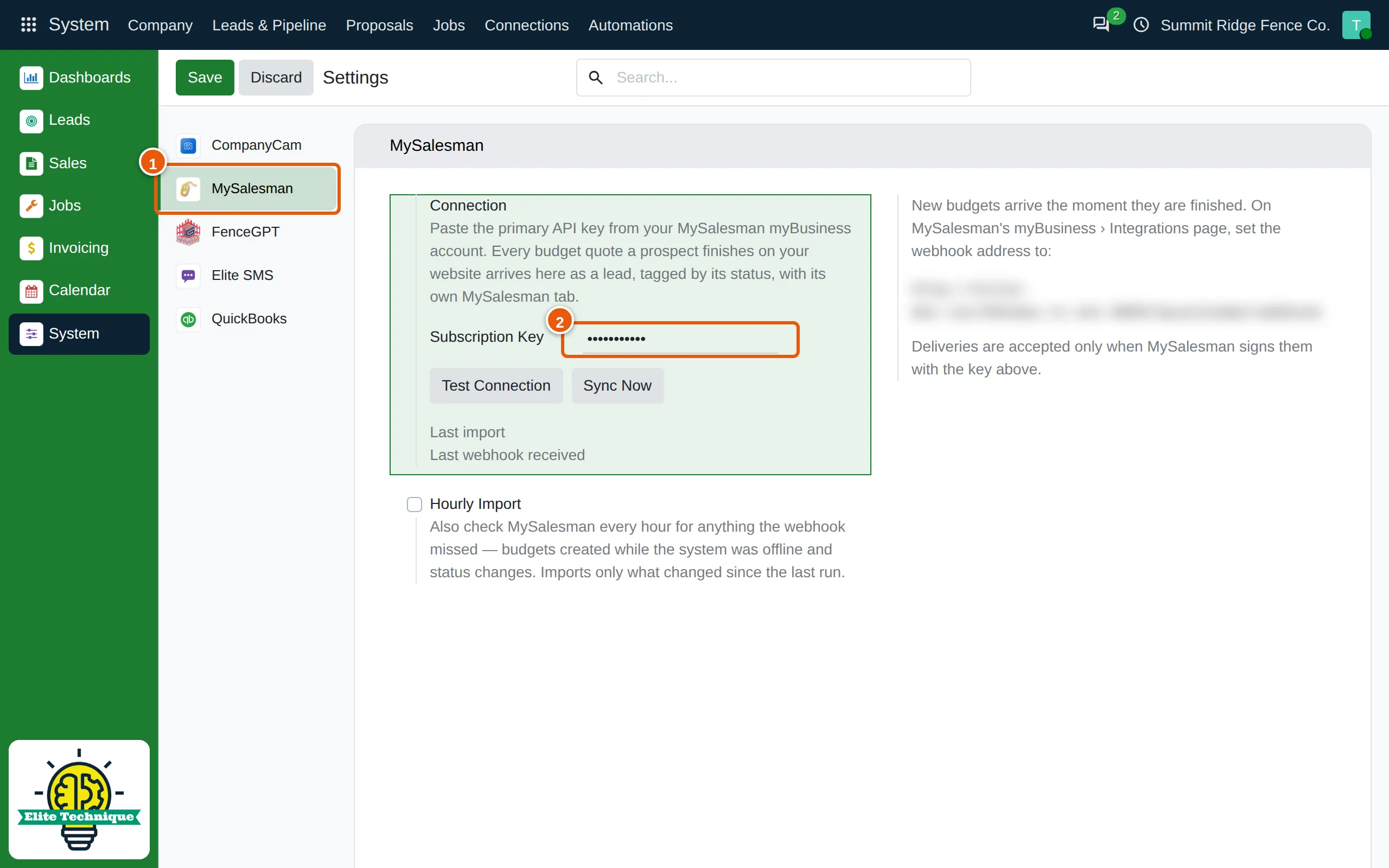
In System, click Connections at the top, then MySalesman (1) in the list on the left.
-
Paste your key into Subscription Key (2).
-
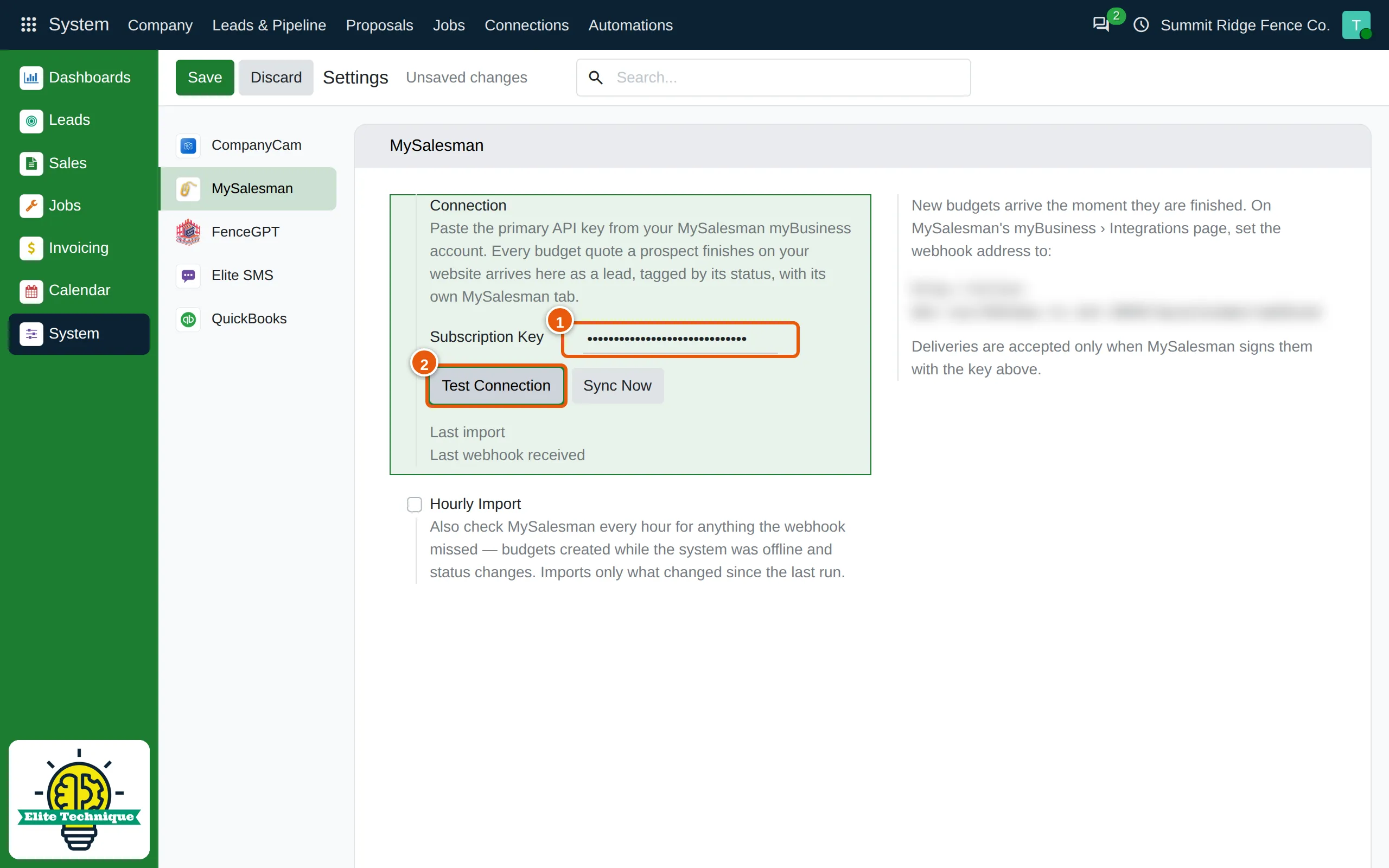
With your key in (1) — it shows as dots — click Test Connection (2).
-
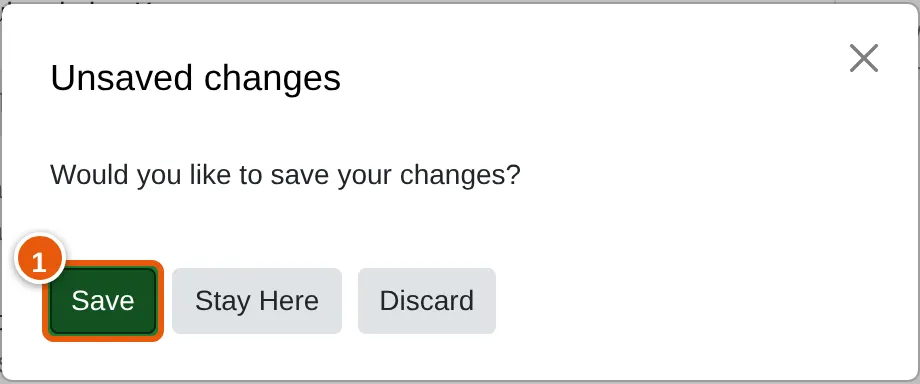
The page asks whether to save your changes first. Click Save (1).
-
Click Test Connection again. A message in the corner of the screen tells you how the test went. If MySalesman does not accept the key, it reads API failed with a status number — check that you copied the whole primary key and try again.
Have new budgets arrive straight away
Section titled “Have new budgets arrive straight away”-
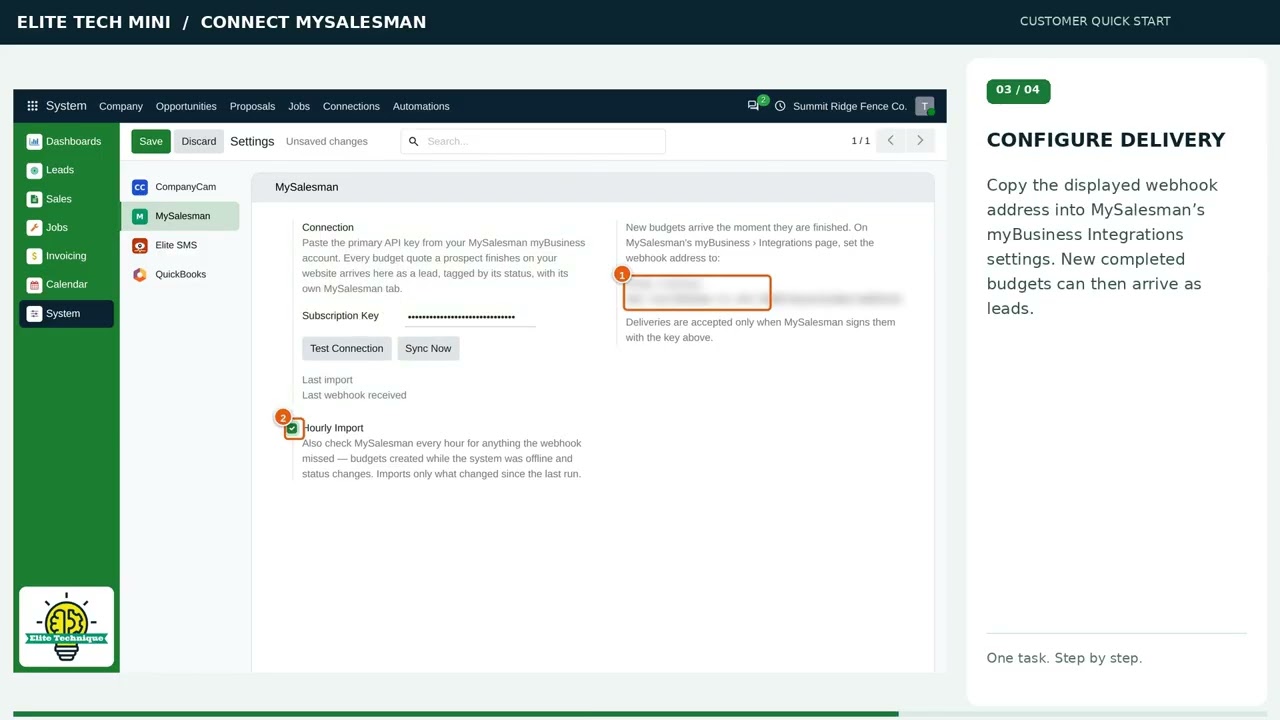
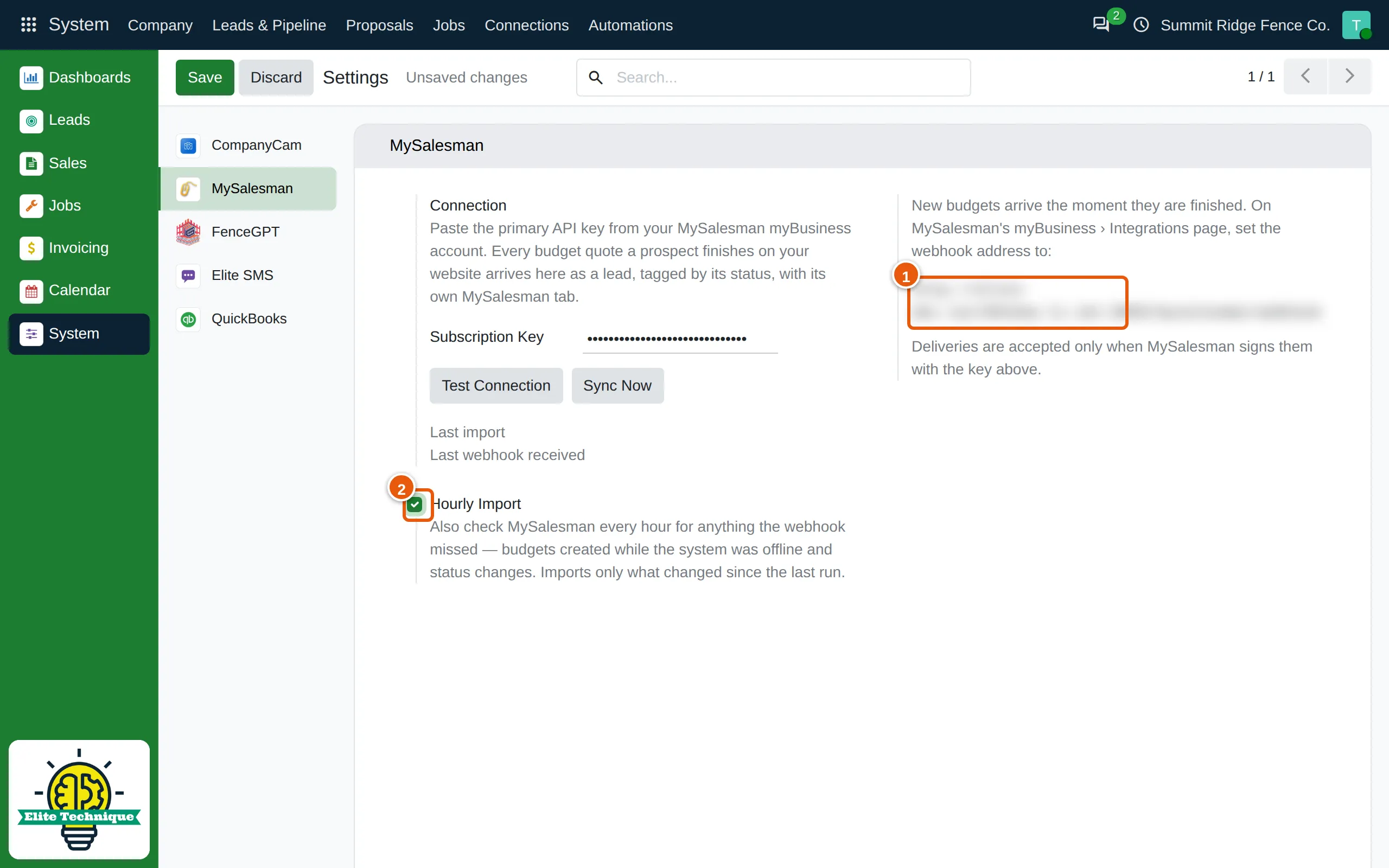
On the right of the MySalesman settings is your webhook address (1). Copy it.
-
In MySalesman, open myBusiness › Integrations and set the webhook address to the one you copied. New budgets then arrive the moment they are finished. Deliveries are accepted only when MySalesman signs them with your key.
-
To also check MySalesman every hour for anything the webhook missed — budgets created while the system was offline, and status changes — check Hourly Import (2) and click Save. Each check imports only what changed since the last one.
Under the buttons, Last import and Last webhook received show when MySalesman last sent you something.
Disconnect MySalesman
Section titled “Disconnect MySalesman”In System › Connections › MySalesman, clear the Subscription Key box, make sure Hourly Import is clear, and click Save.