
Add an item to your catalog
Add something you sell — a material, a part, a service — to your catalog, with its name and price, so your team can put it on proposals.
Your catalog is everything your team can put on a proposal. Add an item once, with its price, and it is there to pick from on every proposal.
Who can do this: Office and Admin.

-
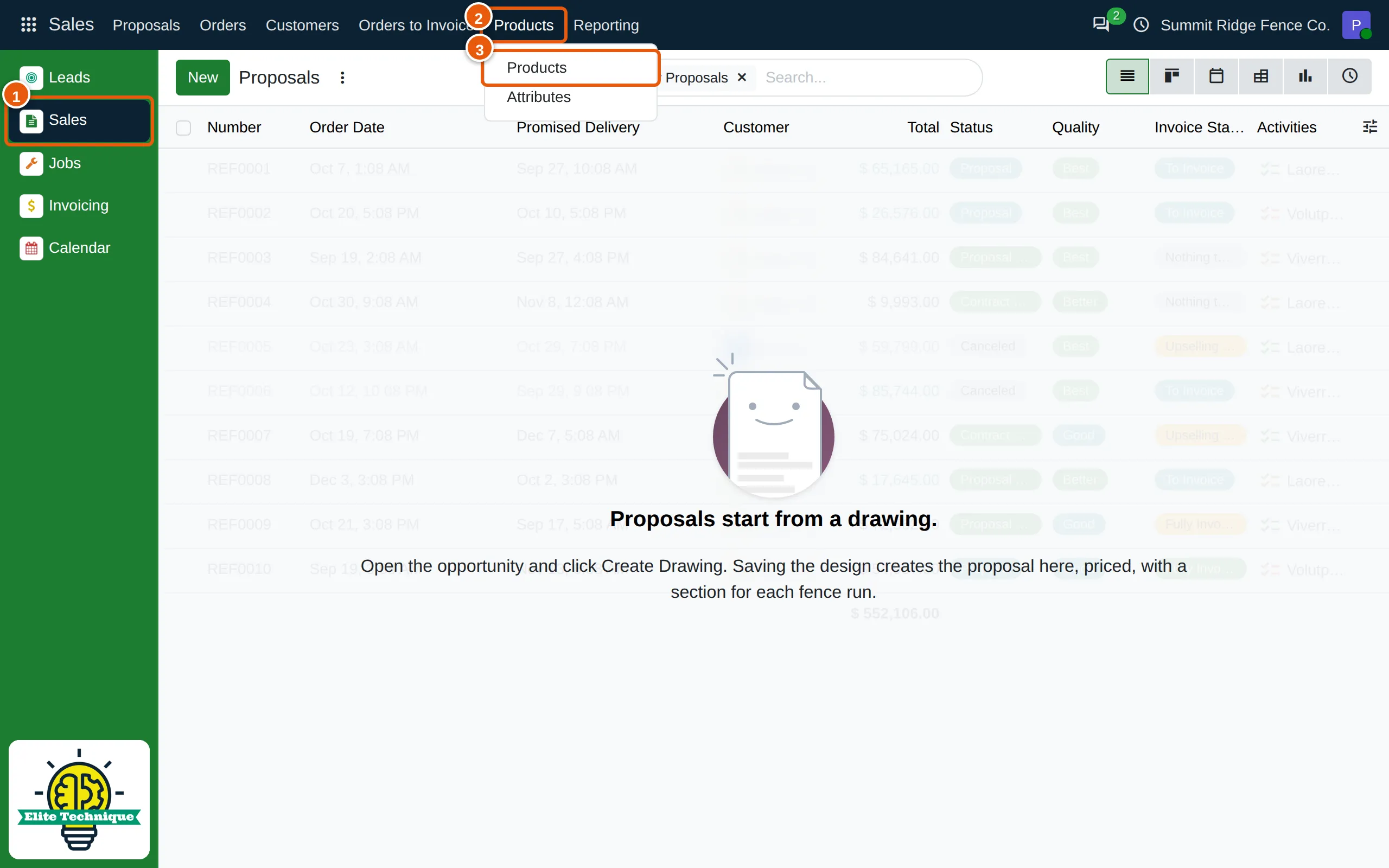
Click Sales (1) in the app bar on the left, then Products (2) at the top, then Products (3). Your catalog opens. Click New.
-
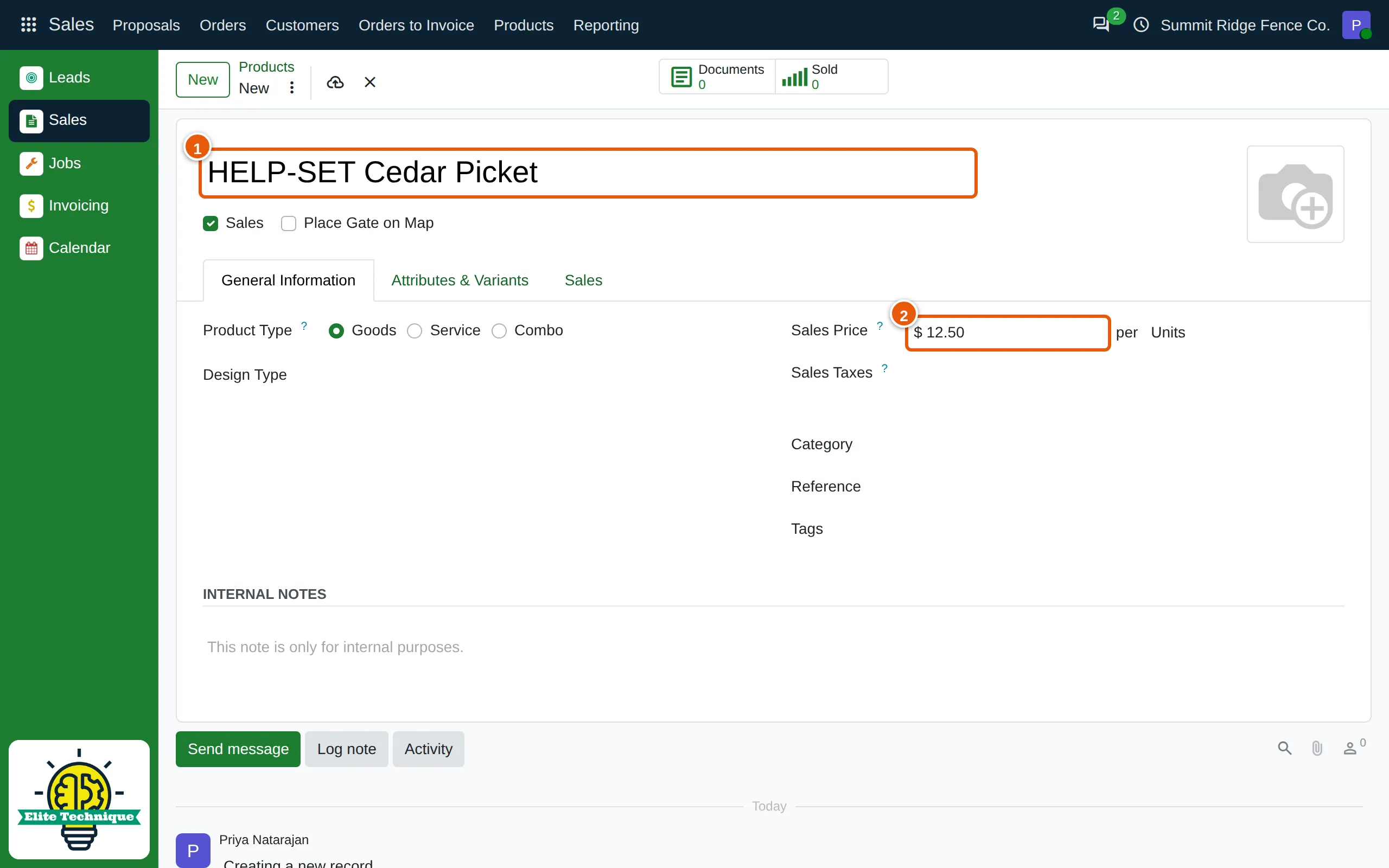
Type the item’s name (1), for example Cedar Picket.
-
Type the Sales Price (2) — what you charge your customer for one unit.
-
Click the cloud icon at the top to save.
The item is now in your catalog. To put it on a proposal, see Create a proposal.