
Set your lost reasons
Choose the reasons your team picks from when they mark an opportunity as lost.
When your team marks an opportunity as lost, they pick a reason. Keep the list to the reasons that matter to your business, so you can see why jobs get away.
Who can do this: Admin.

Add a lost reason
Section titled “Add a lost reason”-
In System, open Opportunities › Lost Reasons. The list shows the reasons your team can pick from.
-
Click New, type the reason in the new line (1) and click Save (2).

Where your team sees it
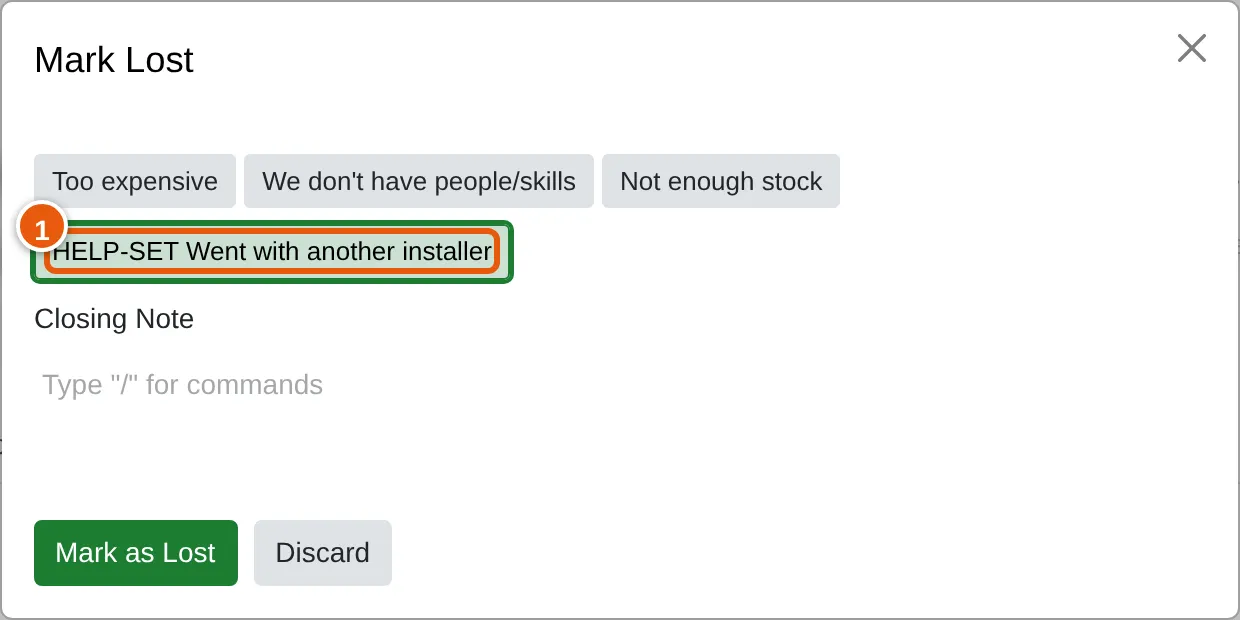
Section titled “Where your team sees it”When someone clicks Lost on an opportunity, the Mark Lost window lists every reason (1), with a Closing Note box below for anything else they want to record.
Remove a lost reason
Section titled “Remove a lost reason”-
In Lost Reasons, check the box beside the reason, click the Actions menu and click Delete.
-
Click Delete to confirm.