Pro and upIncluded in the Pro and Elite packages.
Turn on inventory
Start tracking stock — a receipt for each confirmed purchase order and a delivery for each confirmed job — and check your warehouse.
Inventory is off until you turn it on. Once it is on, each confirmed purchase order gets a receipt and each confirmed job with materials gets a delivery, so you can see what you have in stock.
Who can do this: Admin.
-
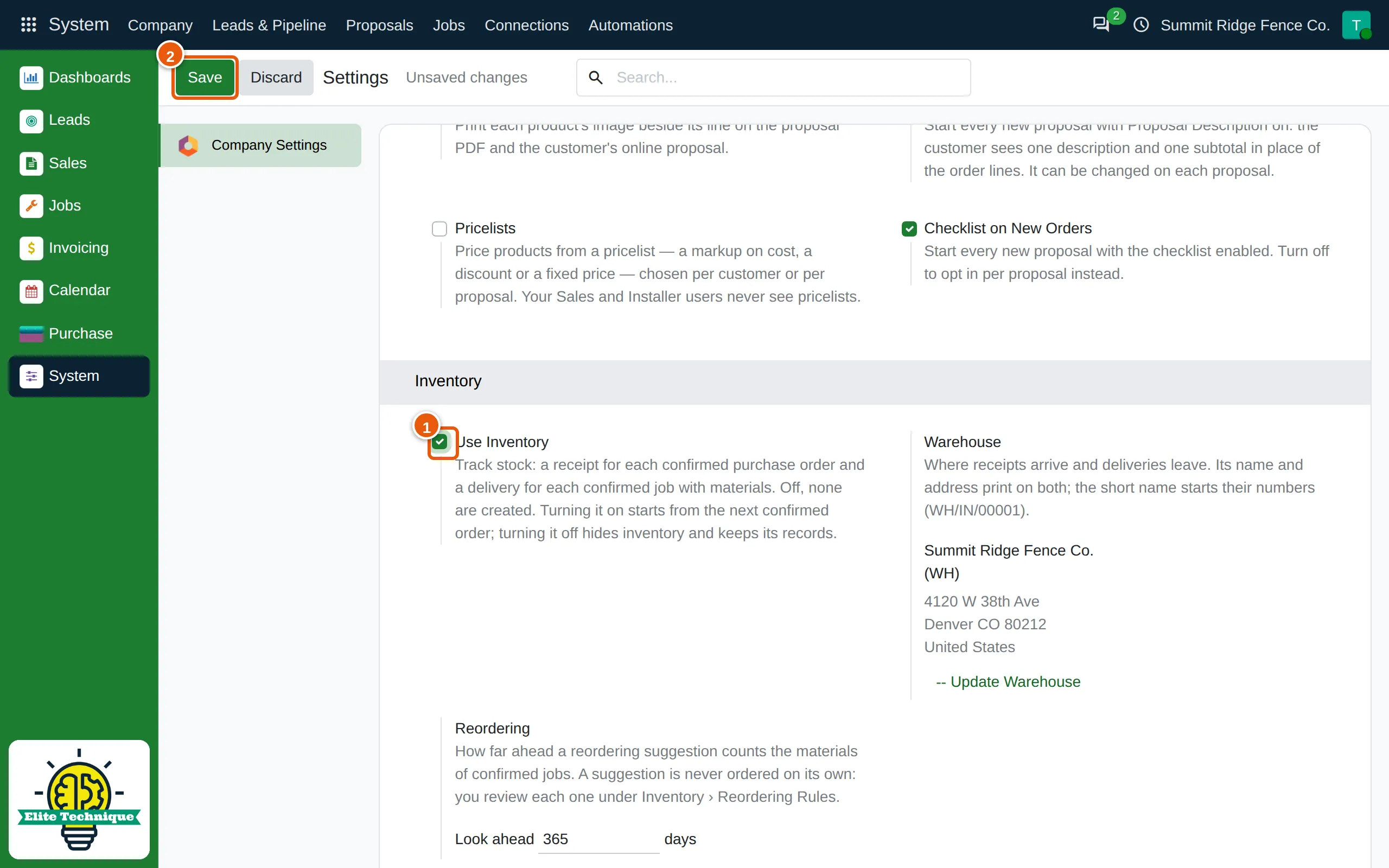
Click System on the left, then Company › Company Settings at the top. Under Inventory, check Use Inventory (1) and click Save (2).
-
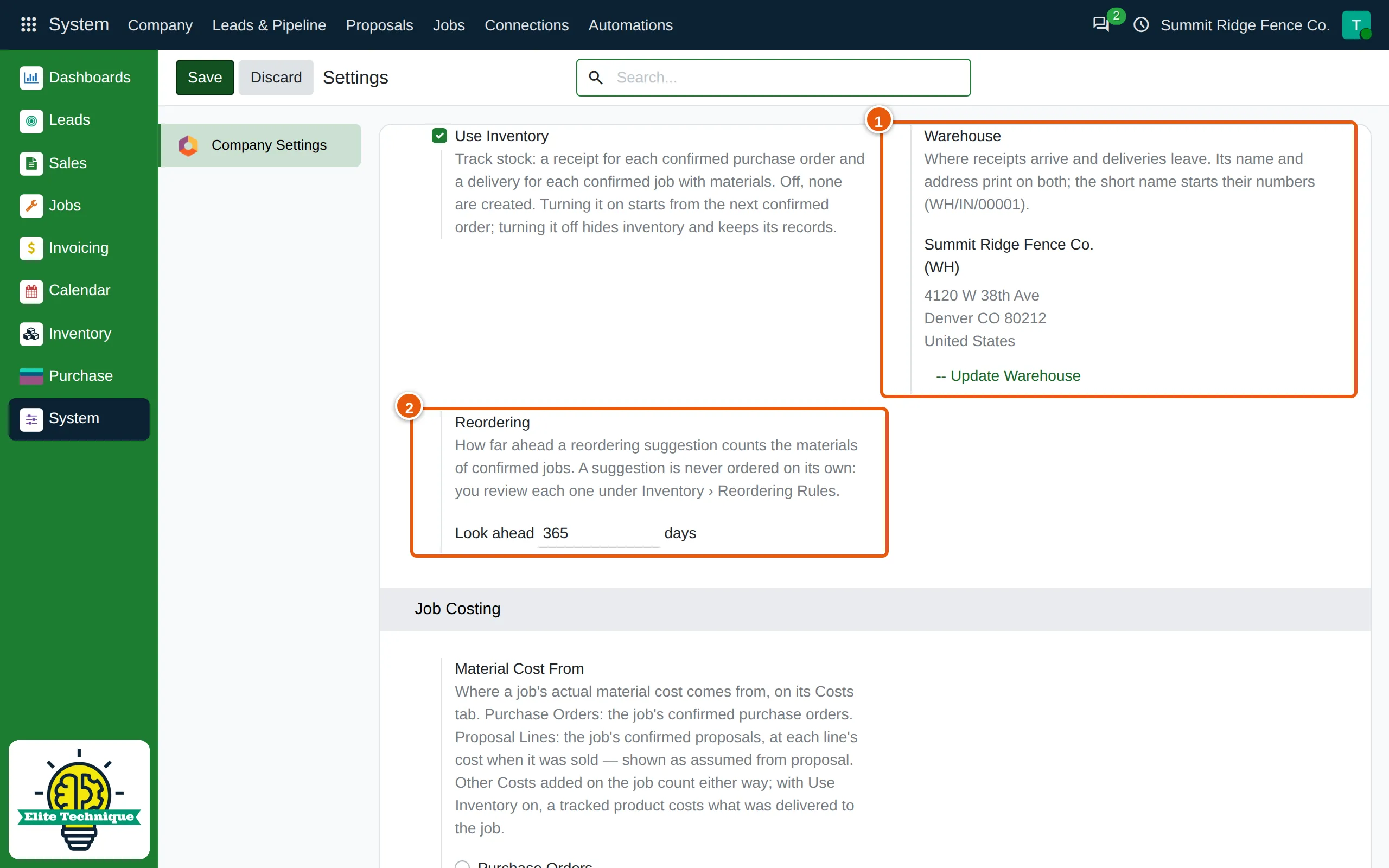
Two more settings appear. Warehouse (1) shows where receipts arrive and deliveries leave: its name, its short name — WH, which starts every receipt and delivery number — and its address, with an Update Warehouse link. Reordering (2) sets how many days ahead a reordering suggestion counts the materials of confirmed jobs; it starts at 365.
-
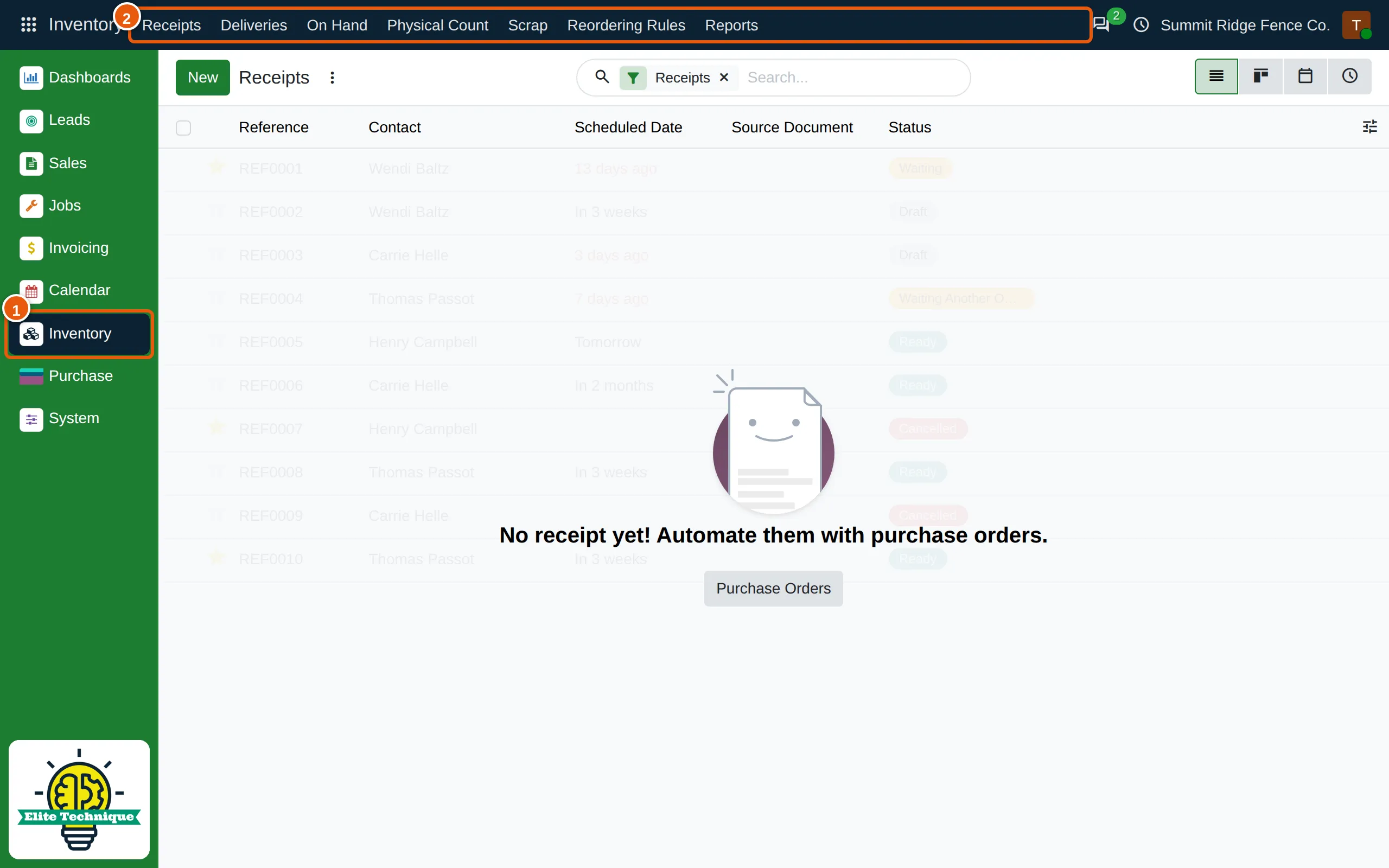
An Inventory app appears on the left (1), with Receipts, Deliveries, On Hand, Physical Count, Scrap, Reordering Rules and Reports at the top (2). Office users see the Inventory app too.