
Standard and upIncluded in the Standard, Pro and Elite packages.
Add a lead form to your website
Copy one line of code onto your website so every quote request your visitors send arrives on your Leads page.
Your website can carry a quote request form that feeds straight into Elite Technique. A visitor fills it in, and their request arrives on your Leads page as a new lead, ready for your sales team. There is nothing to switch on: the form is ready, and you only copy it onto your website.
Who can do this: Admin.
Copy the form’s code
Section titled “Copy the form’s code”-
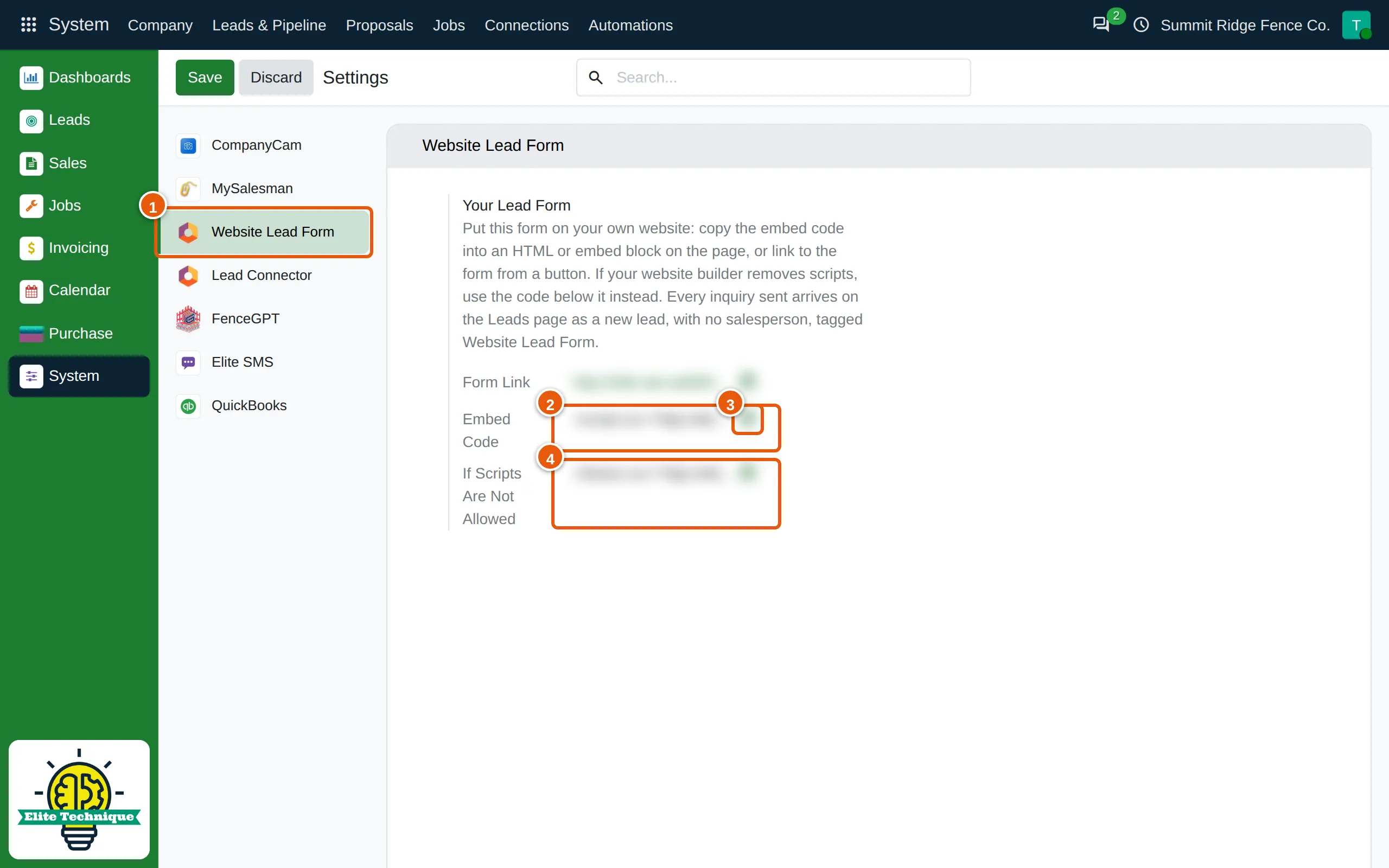
In System, click Connections at the top, then Website Lead Form (1) in the list on the left.
-
Click the copy button (3) at the end of Embed Code (2). That copies one line of code.
-
In your website builder, add an HTML or embed block to the page where the form should appear — your Contact or Get a Quote page — and paste the line into it. Publish the page. The form appears where the block sits.
What your visitors see
Section titled “What your visitors see”-
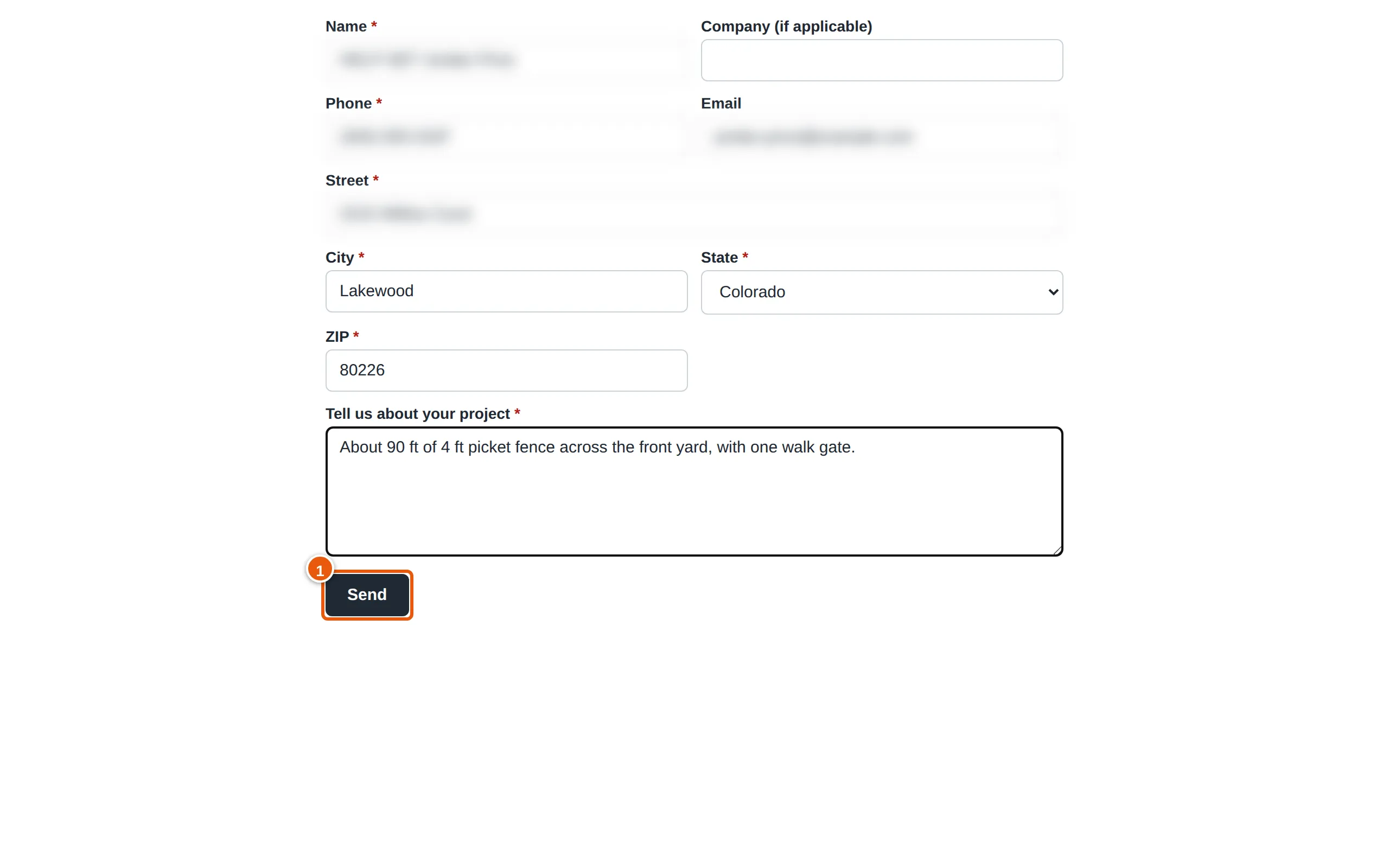
Your visitors see a short form: Name, Company (if applicable), Phone, Email, Street, City, State, ZIP and Tell us about your project. Everything but Company and Email must be filled in. The form has no heading of its own, so your page’s heading sits above it.
-
When they click Send (1), the form is replaced by Thank you — We have your request and will be in touch soon.
Where the request arrives
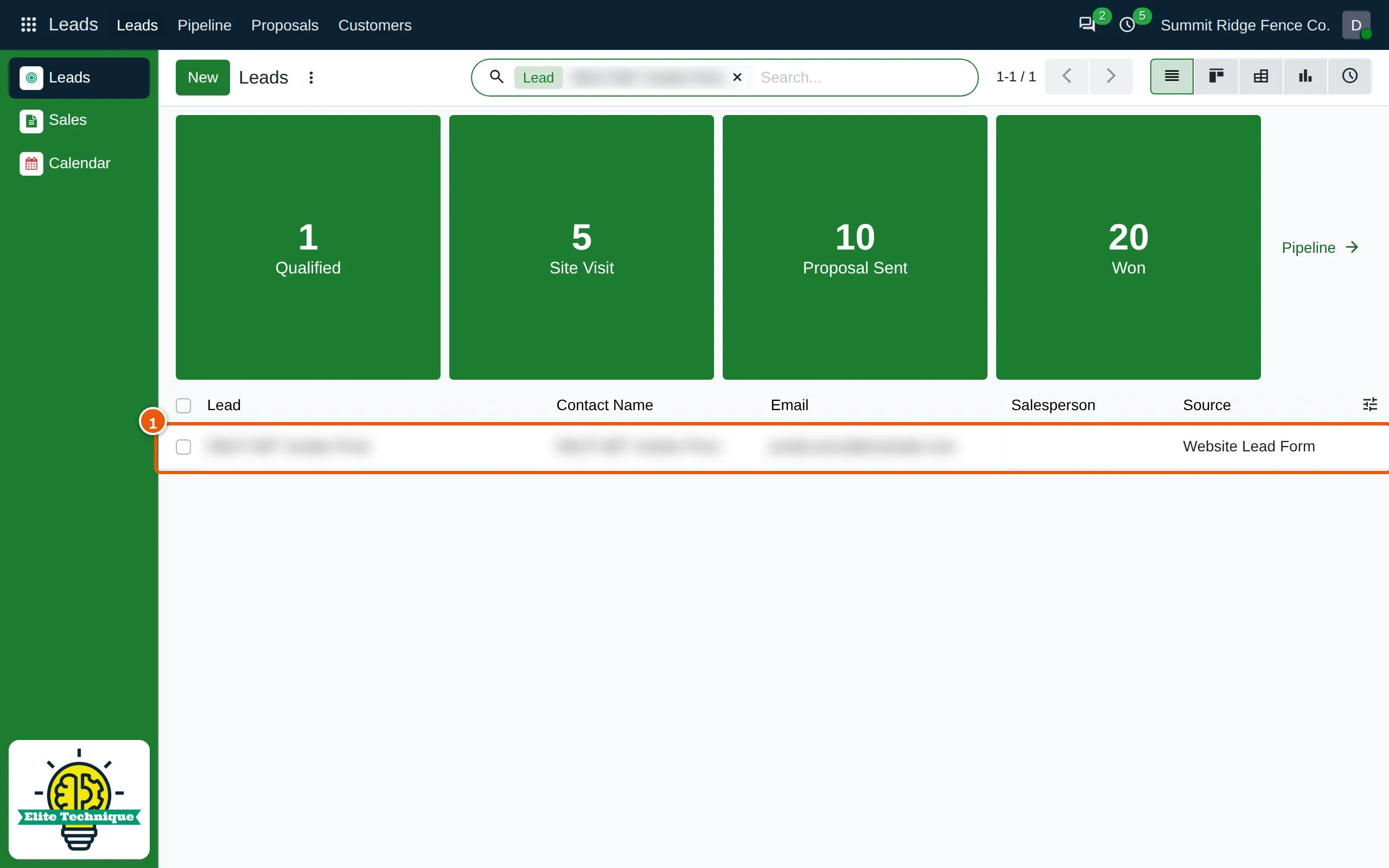
Section titled “Where the request arrives”Each request arrives on the Leads page as a new lead (1), with no salesperson, so everyone in Sales can see it and pick it up. Its Source reads Website Lead Form, and what the visitor wrote about their project is on the lead’s Notes tab.
To turn the lead into an opportunity, see Turn a lead into an opportunity.