Pro and upIncluded in the Pro and Elite packages.
Choose where job material costs come from
Count a job's actual material cost from its purchase orders, or from its proposal when you do not buy materials by purchase order.
A job’s actual material cost can come from one of two places, set once for your whole company:
- Purchase Orders — the job’s confirmed purchase orders. This is where it starts.
- Proposal Lines — the job’s confirmed proposals, at each line’s cost when it was sold. Choose this if you do not buy materials by purchase order.
Other costs added on a job count either way.
Who can do this: Admin.
-
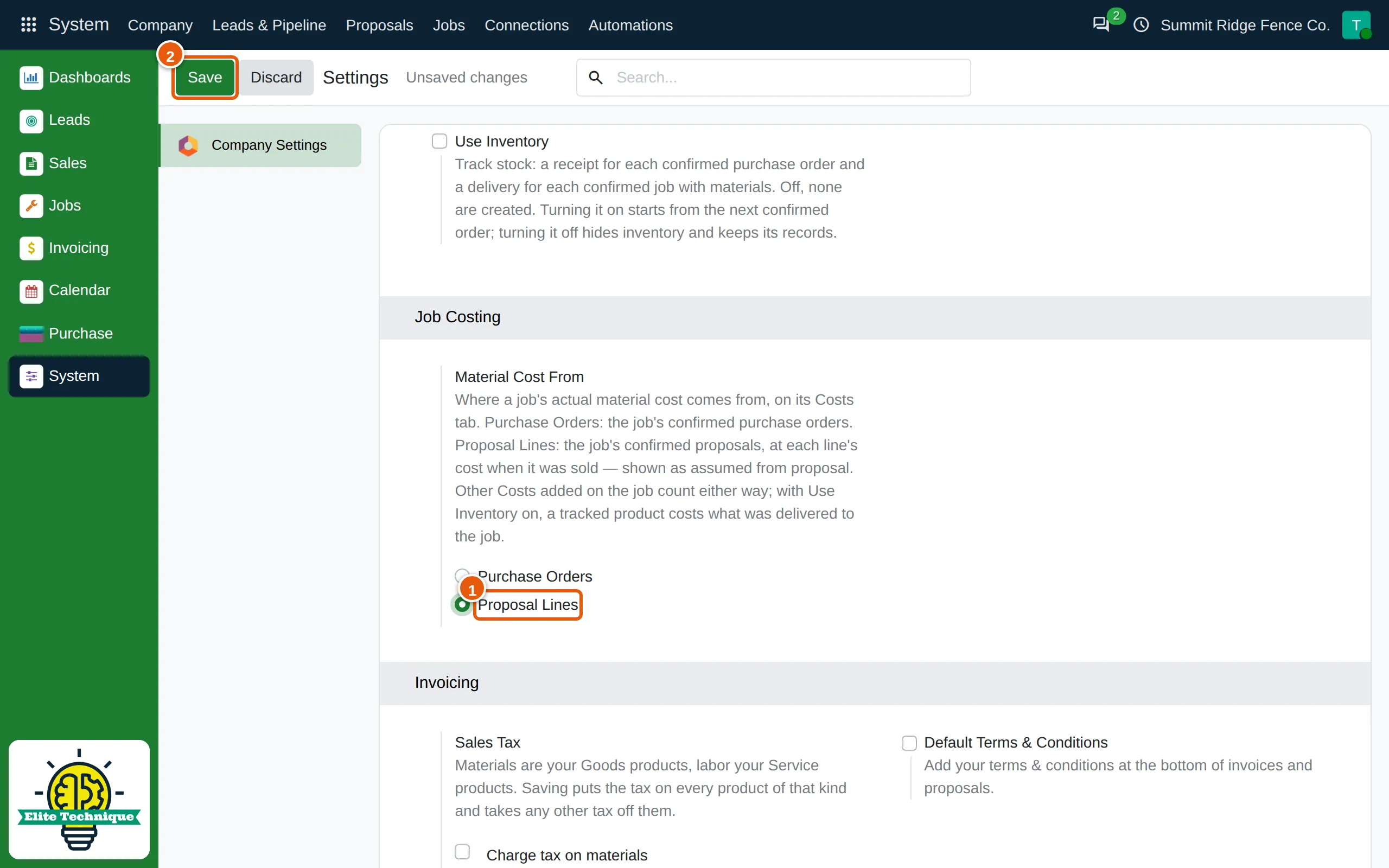
Click System on the left, then Company › Company Settings at the top. Under Job Costing, find Material Cost From and pick Proposal Lines (1) or Purchase Orders. Click Save (2).
-
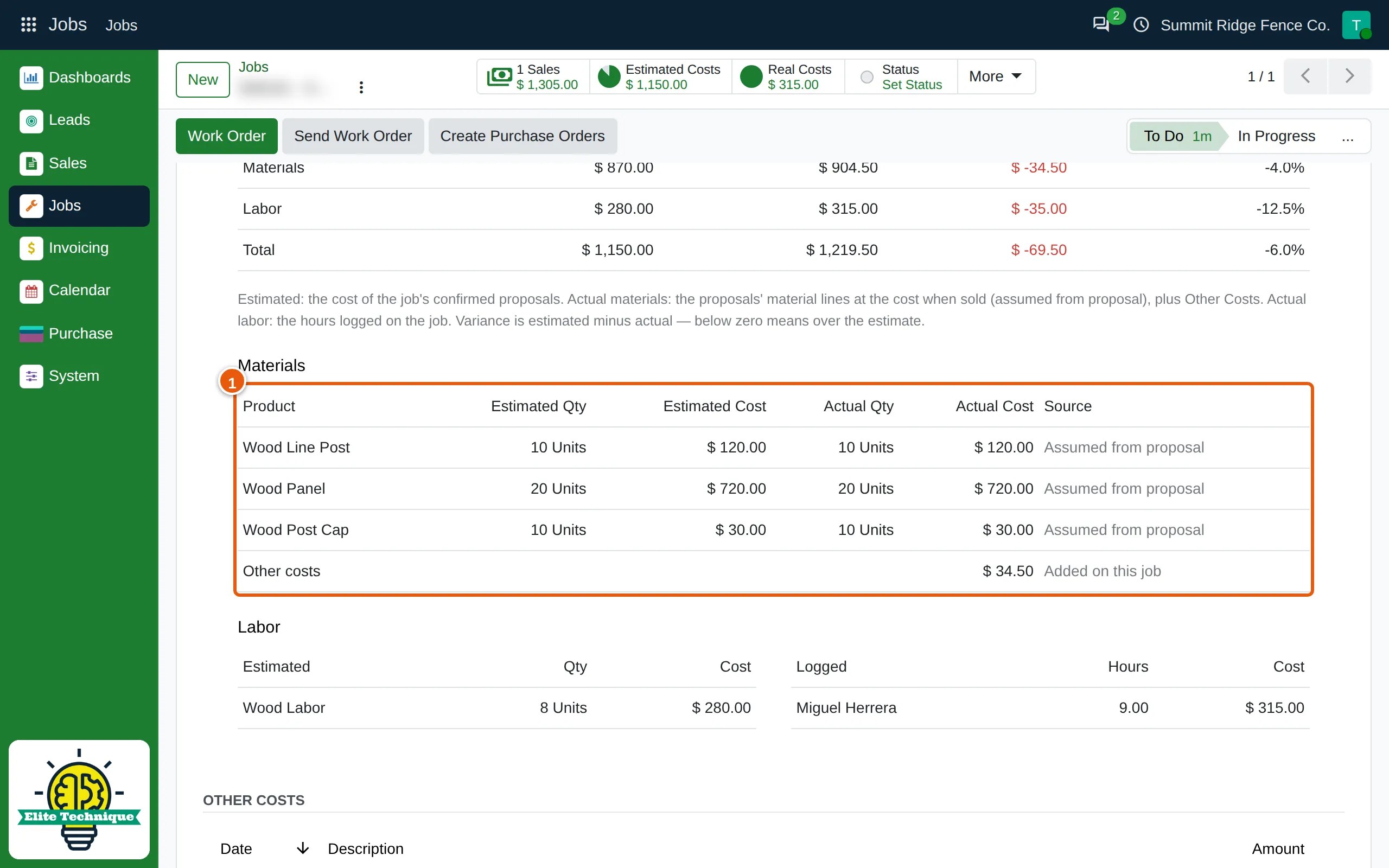
Every job’s Costs tab now counts its materials that way. With Proposal Lines, each product’s source reads Assumed from proposal (1), and other costs added on the job are still listed beneath.