
Update your company details
Change your company's name, address, phone number, email, website and logo — the details on every proposal and invoice.
Your company’s name, address, logo and contact details print on every proposal and invoice you send. Keep them up to date here.
Who can do this: Admin.
-
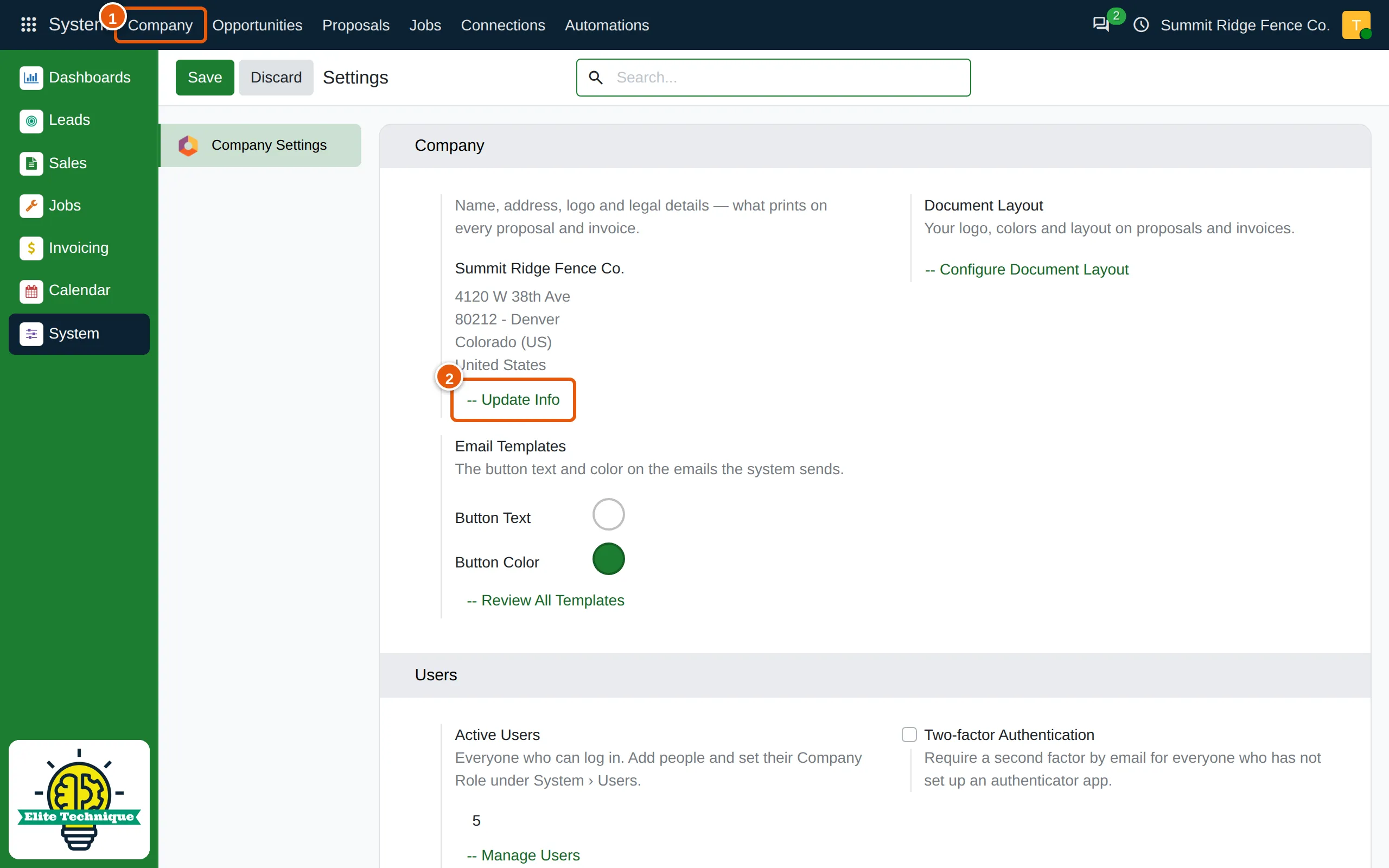
In System, click Company (1) in the top bar, then Company Settings. Under Company, click Update Info (2).
-
Change what you need:
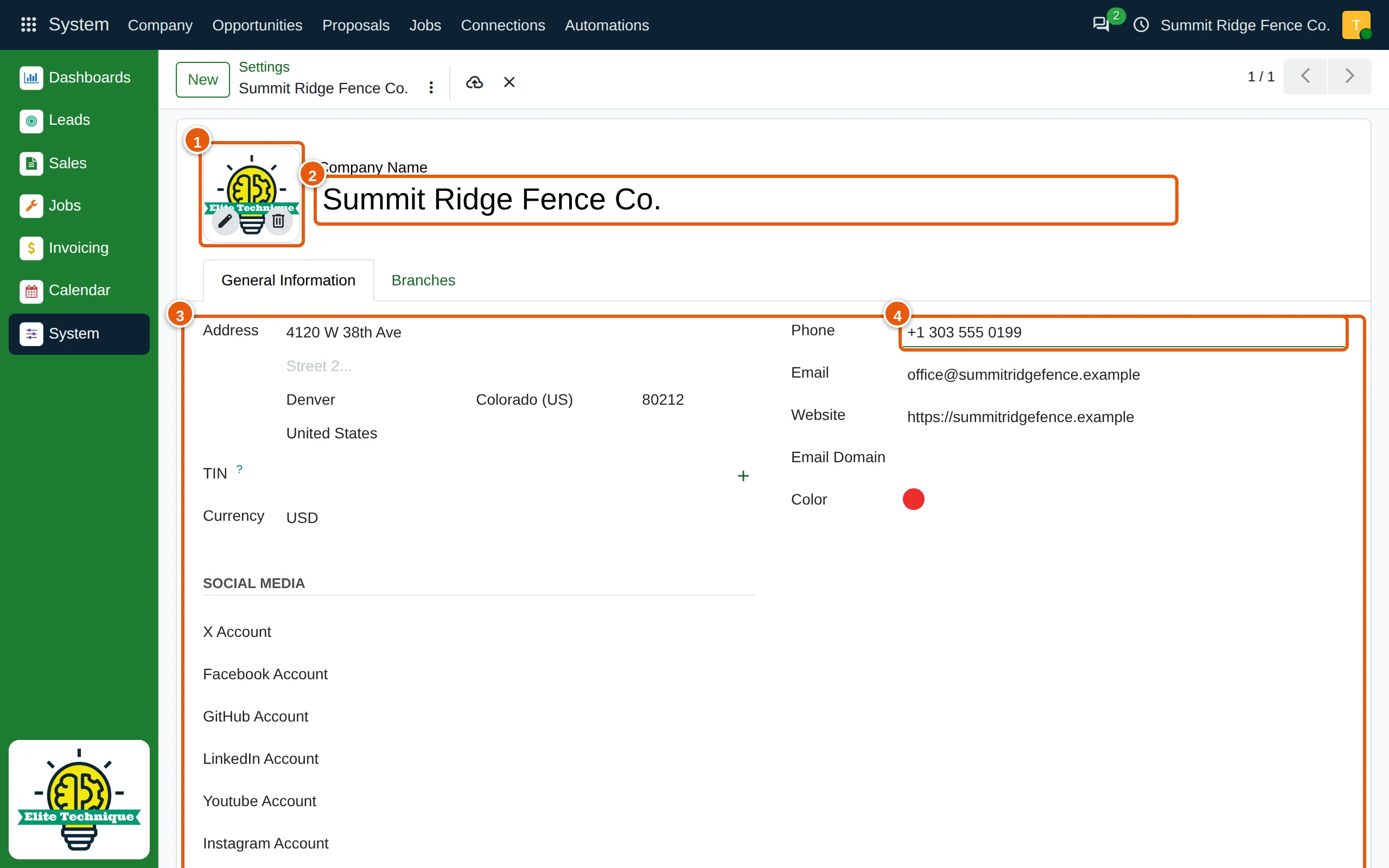
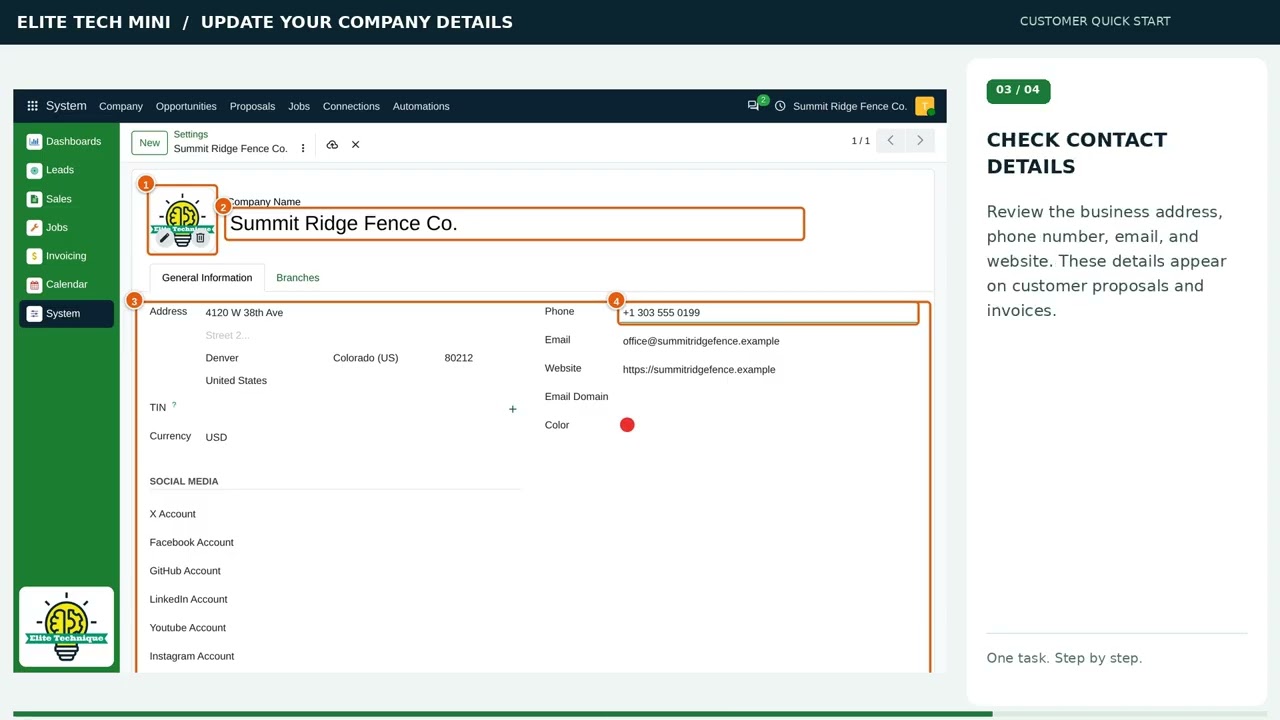
- Logo (1) — point at it and click the pencil to upload your own, or the bin to remove it.
- Company Name (2) — your business name as customers should see it.
- Address (3) — your street, city, state and ZIP code, and TIN, your tax ID number.
- Phone (4), Email and Website — how customers reach you.
-
Click the cloud icon at the top to save.
Click Settings at the top left to go back to Company Settings.